





ONES 3.1: Smarter Troubleshooting, Rule Insights & Protocol Visibility
The latest ONES release turns feedback into features: default rules with built-in fixes, rule preview & CSV export, side-by-side traffic comparisons, optics analytics, and clearer protocol views (MC-LAG, state transitions, VLANs).
Every ONES release sharpens the UI to surface what matters, faster. In ONES 3.1 you’ll find a cleaner, more actionable experience across alerting, analytics, and protocol monitoring—so you can spot issues sooner, resolve them quicker, and audit changes with confidence.
Default Rules with Troubleshooting Hints
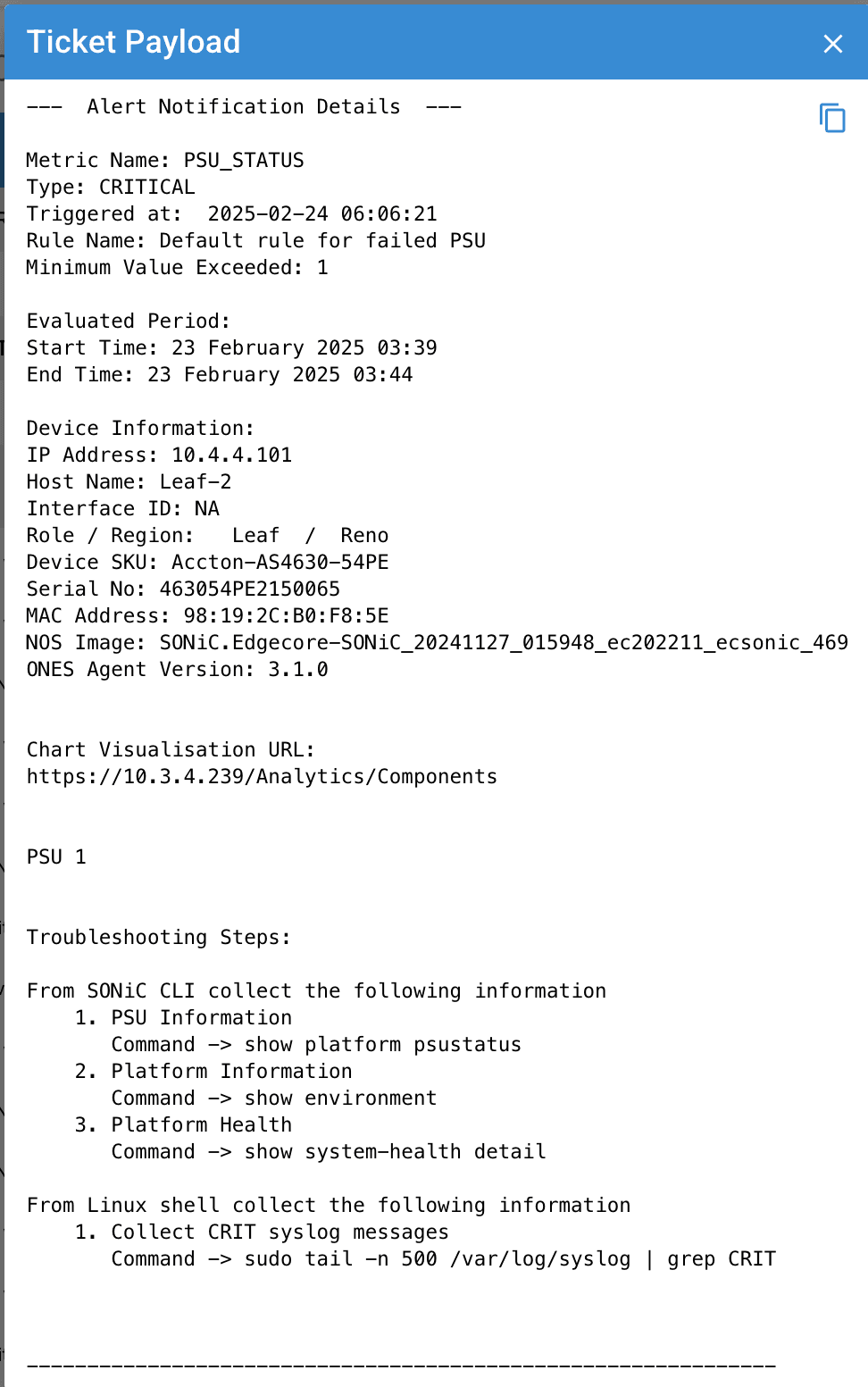
The Rule Engine now includes preconfigured Default Rules derived from real deployments across regions and customer environments. Each ships with industry-standard thresholds and an embedded playbook.
- One-click enablement: Start monitoring CPU, fans, and more with sensible defaults.
- Actionable alerts: Each alert payload includes guided steps—SONiC/FRR/Linux commands plus physical checks.
- Faster MTTR: Operators see what to do, not just what happened.
Alerting Rules: Preview & Download
Keep your rulebase transparent and auditable with two new capabilities:
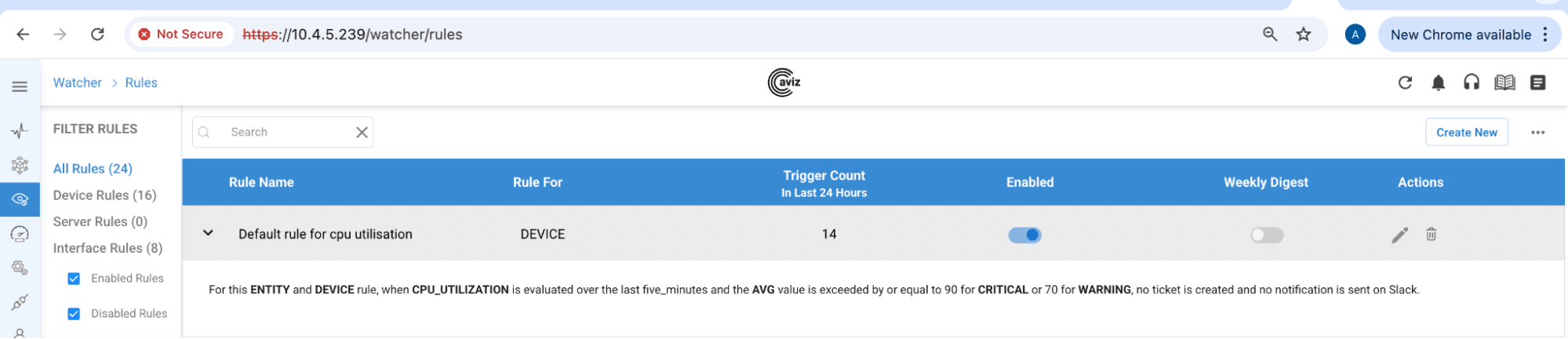
- Inline Preview: Expand any rule to see thresholds, notifications (Slack, ticketing), and key settings—no page hops.
- CSV Export: Download a complete rules inventory (names, thresholds, channels, and more) for audits and reviews.
Traffic Comparison
Understand traffic distribution beyond a single port. Compare up to eight interfaces by Tx or Rx utilization to uncover imbalances and bottlenecks.
Optics Analytics
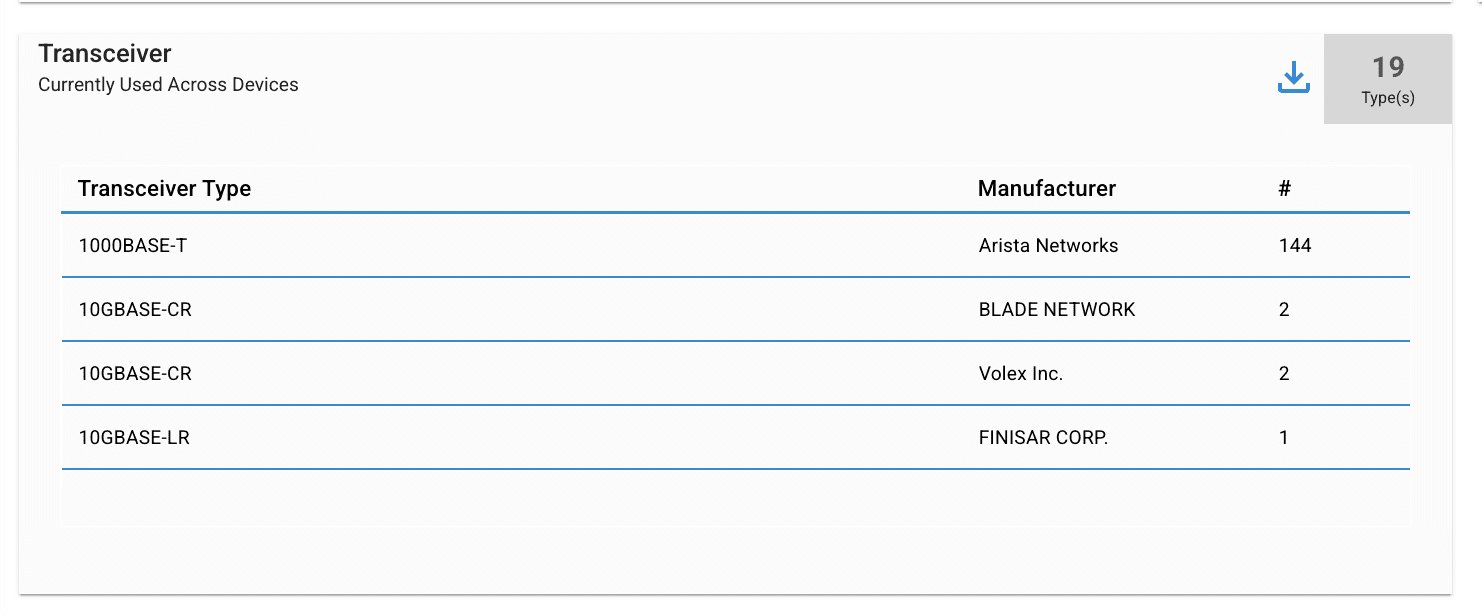
The Transceiver widget summarizes optics inventory by type and vendor, with an Export Data option for granular details (serial numbers, manufacturer dates, and more). Plan upgrades and stock spares with accurate, current data.
Protocol Enhancements
MC-LAG Visualization
A new MC-LAG filter on the topology view highlights devices configured with MCLAG for instant visibility into redundancy design.
Event-Driven State Transitions
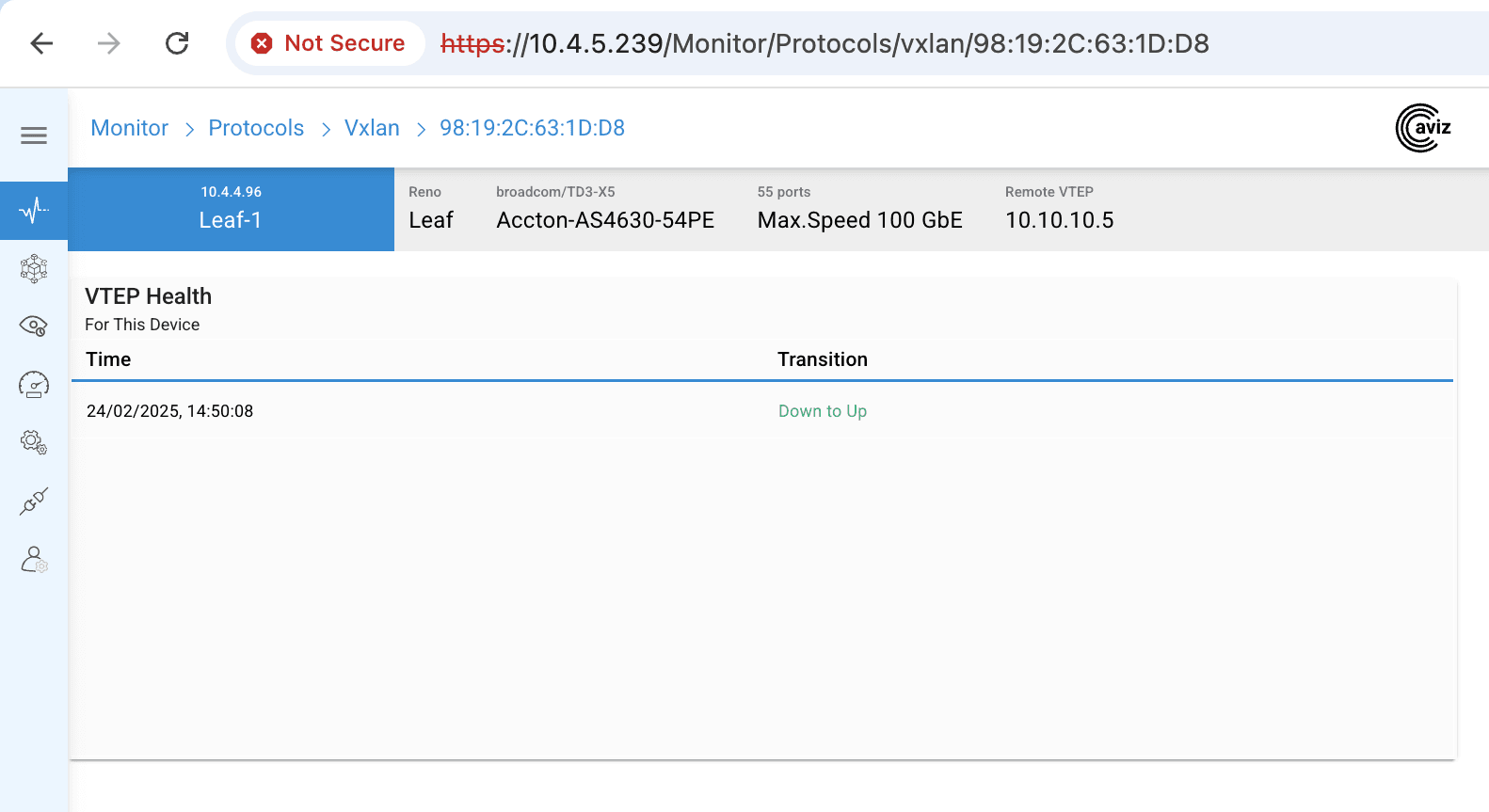
The Protocols page now records and lists only state transitions (e.g., LACP, MC-LAG, VXLAN) for a cleaner, more actionable view. Filter by time window (1h–2w) to focus on relevant changes.
VLAN Information
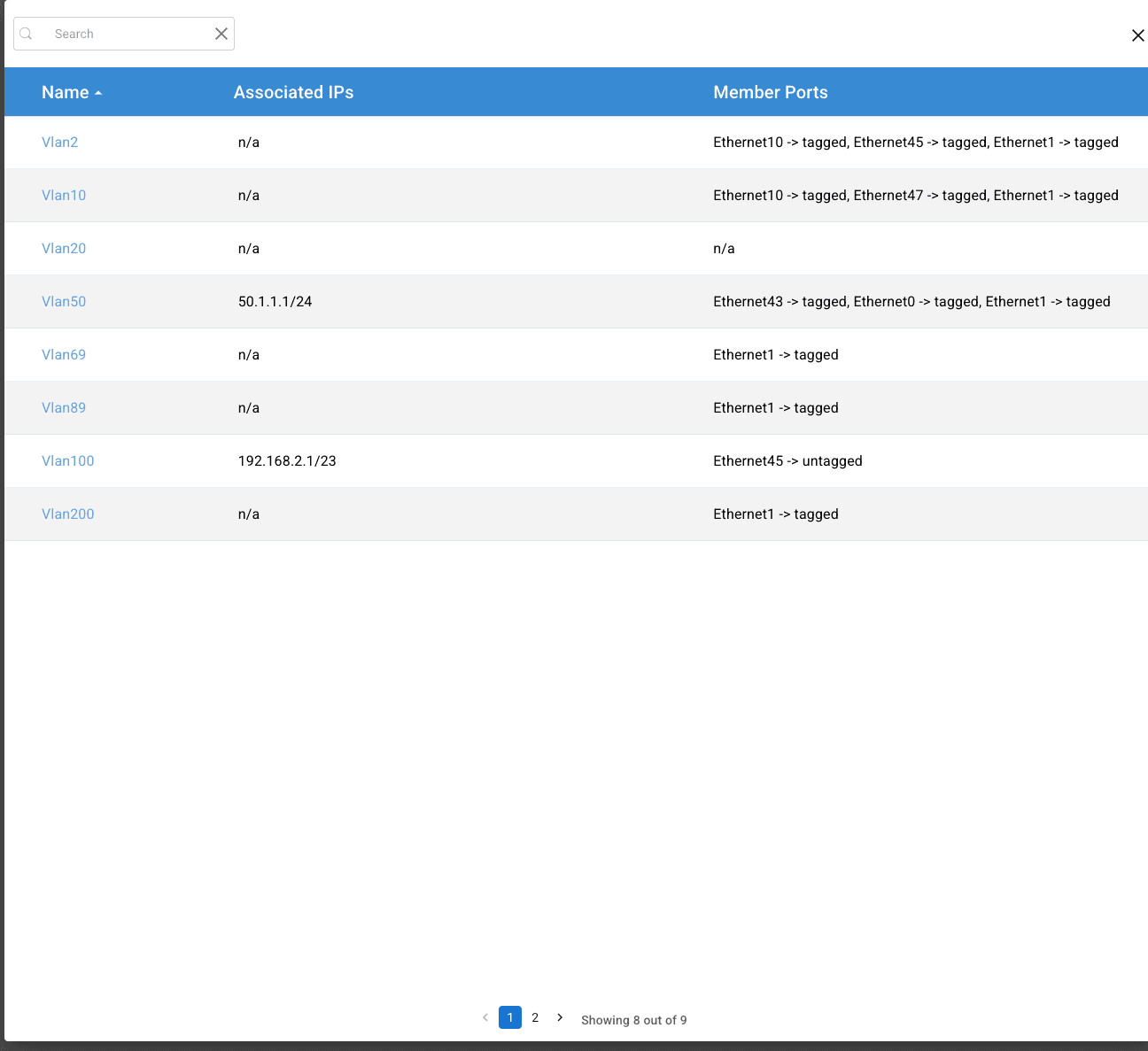
Navigate to Monitor → Protocols → VLAN for a network-wide VLAN summary. Drill into a device to see VLANs, associated ports, and SVI details—your complete Layer-2 segmentation picture.
Conclusion
ONES 3.1 levels up daily operations with default, guided rules; quick preview and CSV audits; multi-port traffic comparisons; optics inventory intelligence; and cleaner, event-driven protocol views. It’s a faster path from “What’s wrong?” to “Fixed.”
See ONES 3.1 in Action
Smarter troubleshooting, real-time rule insights, and powerful protocol visibility—built in.


