





How Does Network Copilot Bring On-Device Voice AI to Enterprise Networks?
 November 11, 2026
 Network Copilot ™
Network Copilot now speaks 18 languages, hears you across the room, and reads the answer back, all without a single byte of your voice leaving your machine.
TL;DR
Network Copilot now has Evokable, a voice feature that lets engineers ask questions out loud and hear the answer read back, in 18 languages. Speech recognition, transcript refinement and voice synthesis all run on-device in the browser, using NVIDIA Parakeet and Kokoro models accelerated by WebGPU, so voice audio never touches a Network Copilot server. It ships with 34 pre-loaded networking terms and was built for Section 508 from day one. Evokable is live now in Chrome, Edge and Safari.
Introduction
It's 3:14 a.m. in Osaka. A stalled training run, collapsed collective throughput, GPUs throttling. The on-call engineer asks, “What’s happening with the GPUs and the cluster?”, while trying to troubleshoot through a wall of English-language tools, whereas thinking and communicating in Japanese.
She doesn't reach for the keyboard. She says, out loud, in her own language: "Hey Copilot, show me AI NOC fleet snapshot"
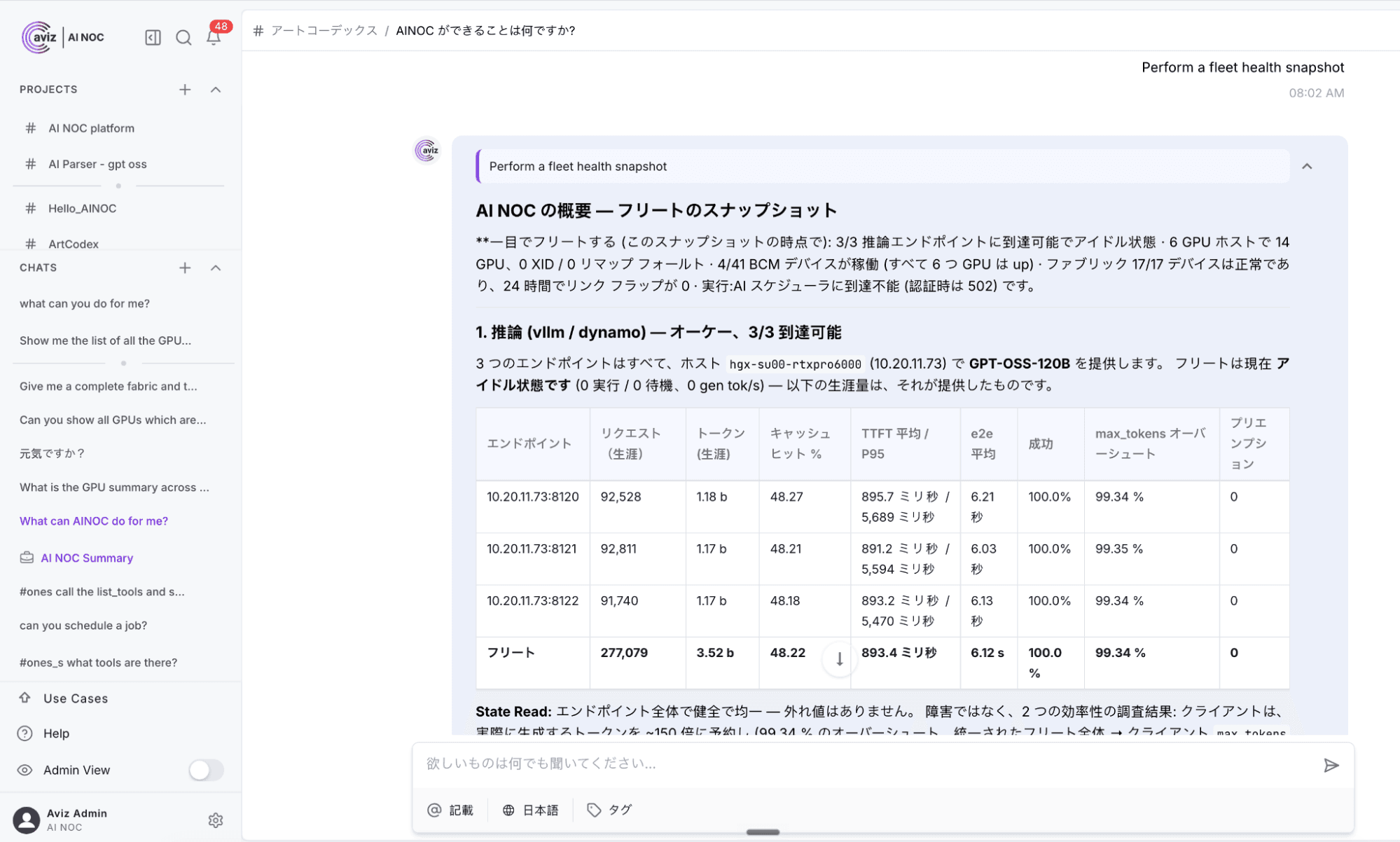
The interface is already in Japanese. The transcript fills the prompt box as she speaks. She stops talking, and the question sends itself. Three seconds later, Network Copilot reads the answer back to her. In Japanese. Network Copilot Home screen in Japanese, mic button glowing in the lower-right corner. Bold, full-width.
The engineer doesn't reach for the keyboard. She says, out loud, in her own language: "Hey Copilot, show me an AI NOC fleet snapshot". The interface is already in Japanese. The transcript fills the prompt box as she speaks. She stops talking, and the question sends itself. Three seconds later, Network Copilot reads the answer back to her. In Japanese.
What is Evokable, the voice feature in Network Copilot?
Evokable is the voice feature in Network Copilot. You say "hey copilot," ask your question out loud, and Network Copilot sends it when you pause, then reads the answer back.
Every page in Network Copilot now has a microphone in the corner. Press it once, and it quietly waits. Say "hey copilot" and ask your question. Watch your words appear as you speak. Pause, and it's sent. Then it reads the answer back and re-arms for the next one.
No wake screen. No modal. No training. One button, one workflow, everywhere.
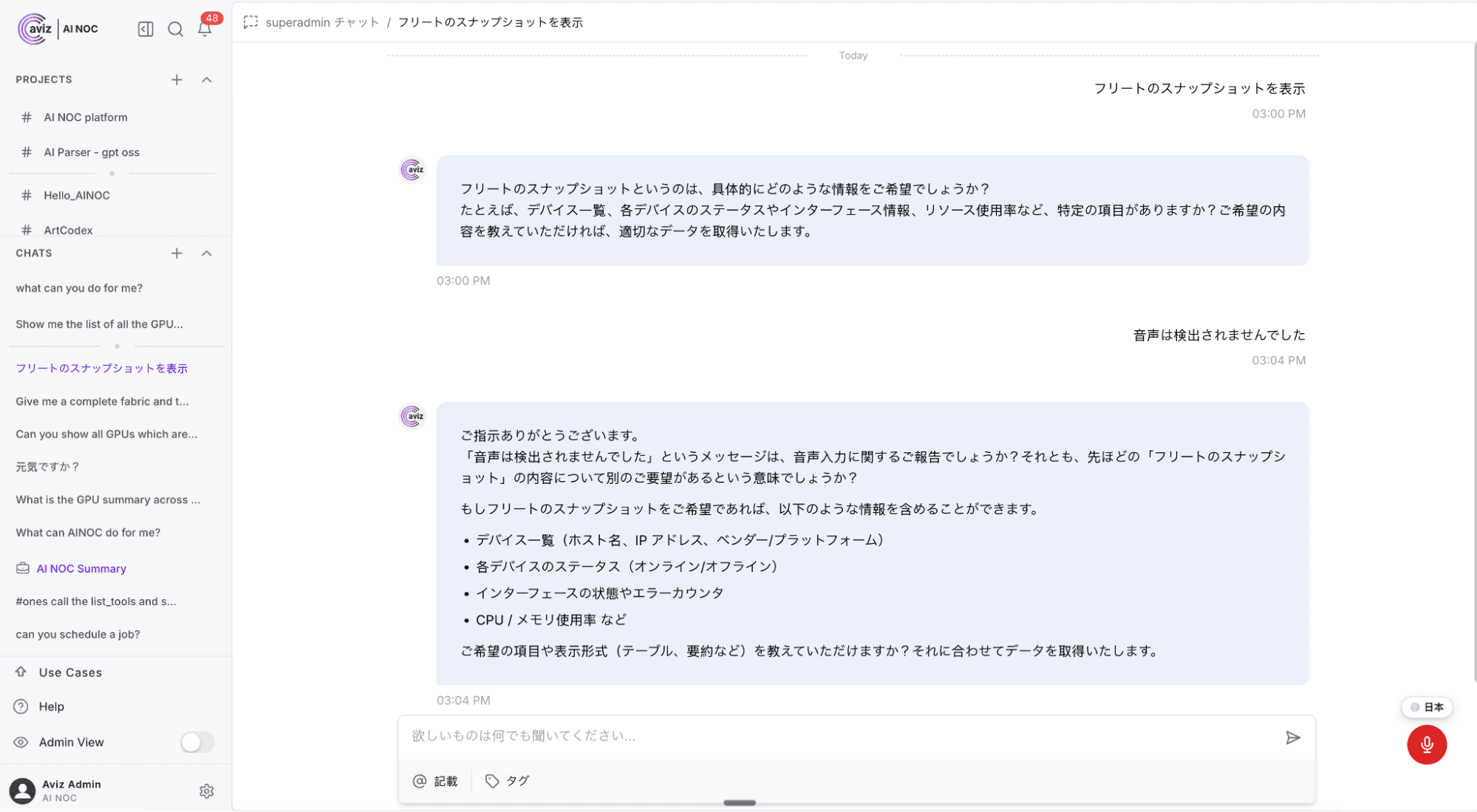
And it's smart about when to shut up. While the Copilot is speaking, the mic goes fully deaf, so it never hears itself. If you use a screen reader, tell it once and it stays silent, because your screen reader already does that job and two voices at once helps nobody.
Which languages does Network Copilot support?
Network Copilot supports 18 languages across the whole interface, not just the menus, and it can listen and answer in those languages too. Japanese is the first non-Latin locale.
Localization usually means someone translated the navigation and called it done. We translated everything: every label, every suggestion chip, every system message, every settings page. Then we made the Copilot listen and answer in those languages too.
Japanese leads the way as our first non-Latin locale, and it was chosen on purpose. Mixed scripts, no word spacing, full-width punctuation. If the interface holds up in Japanese, it holds up anywhere.
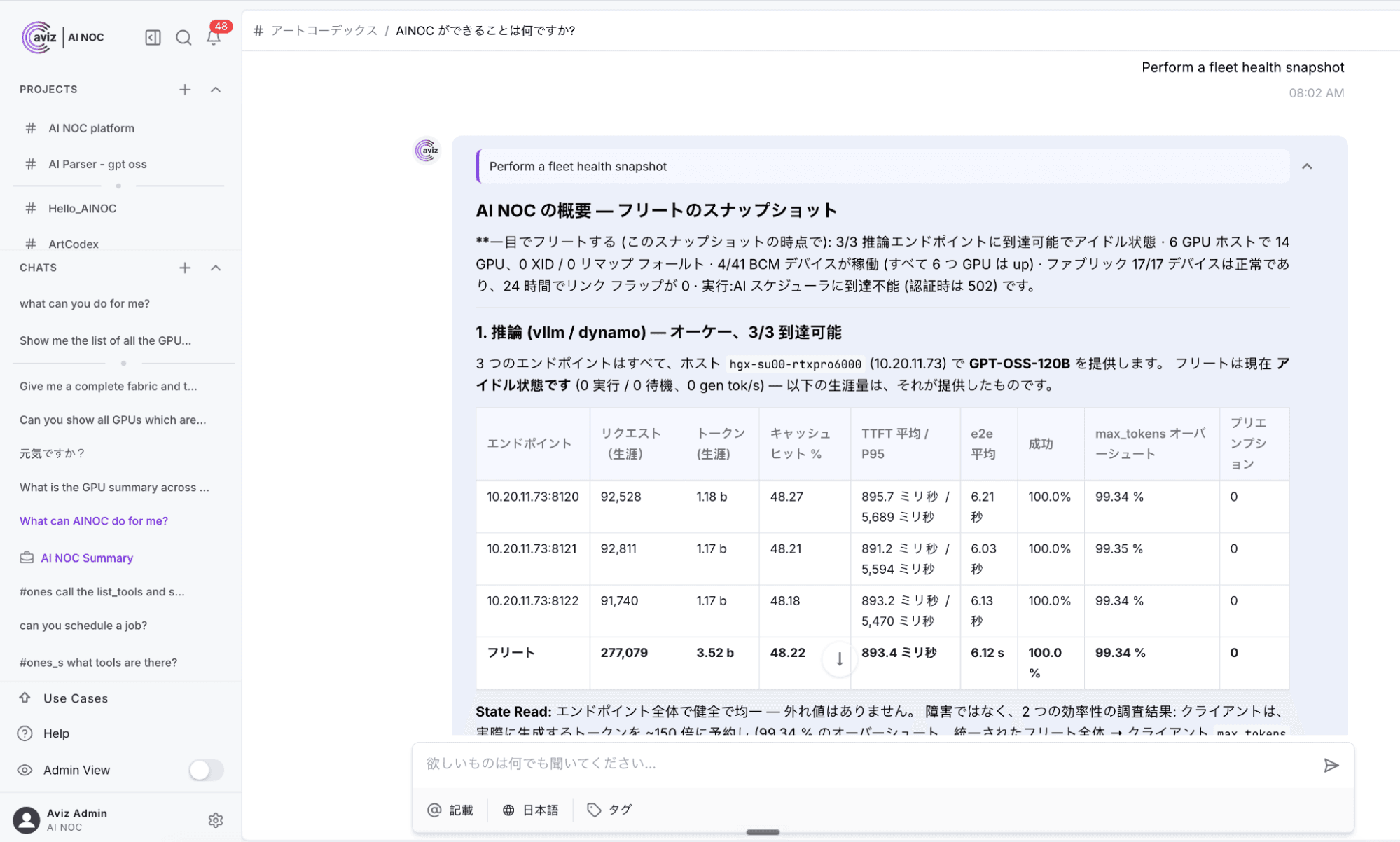
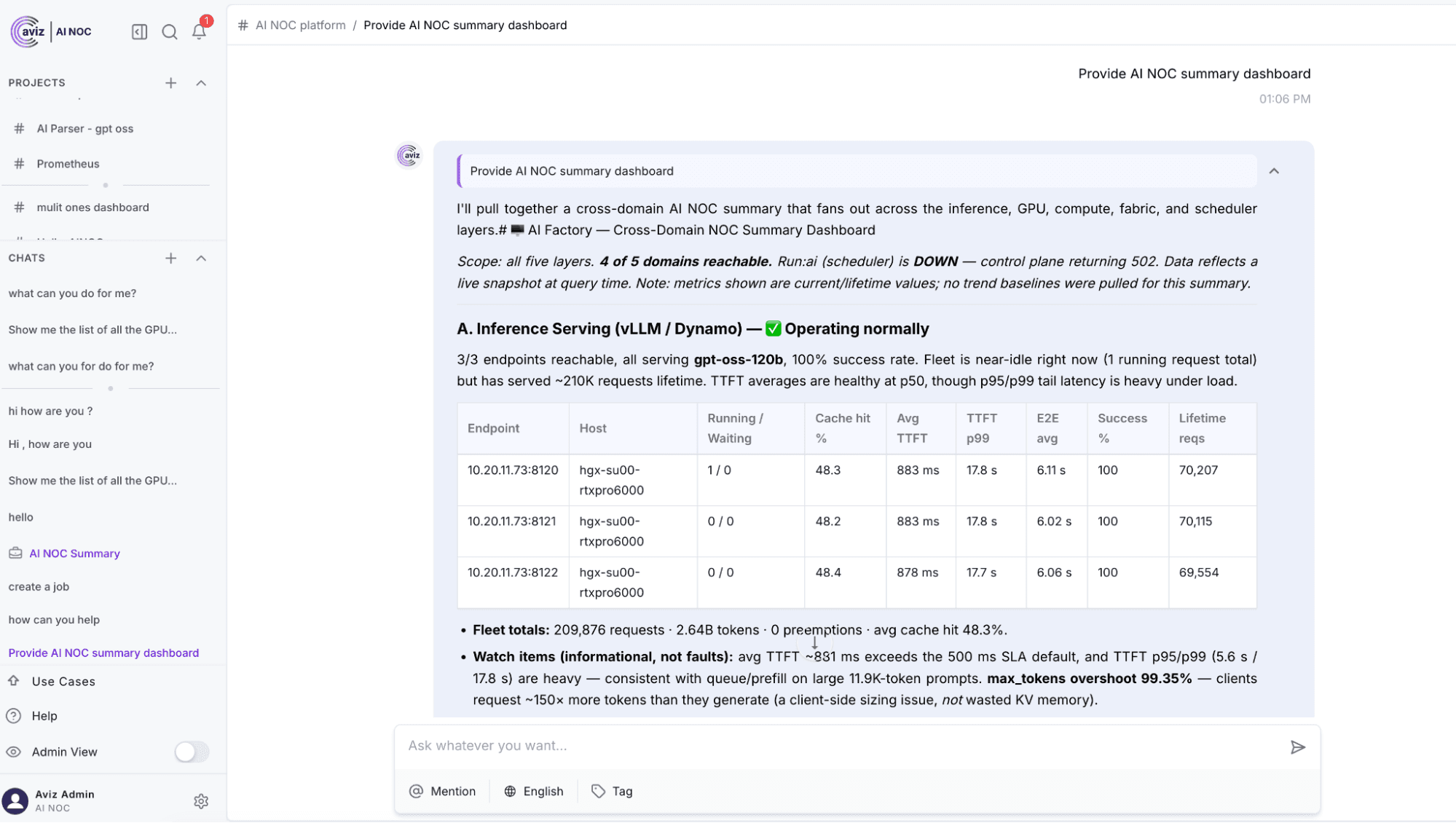
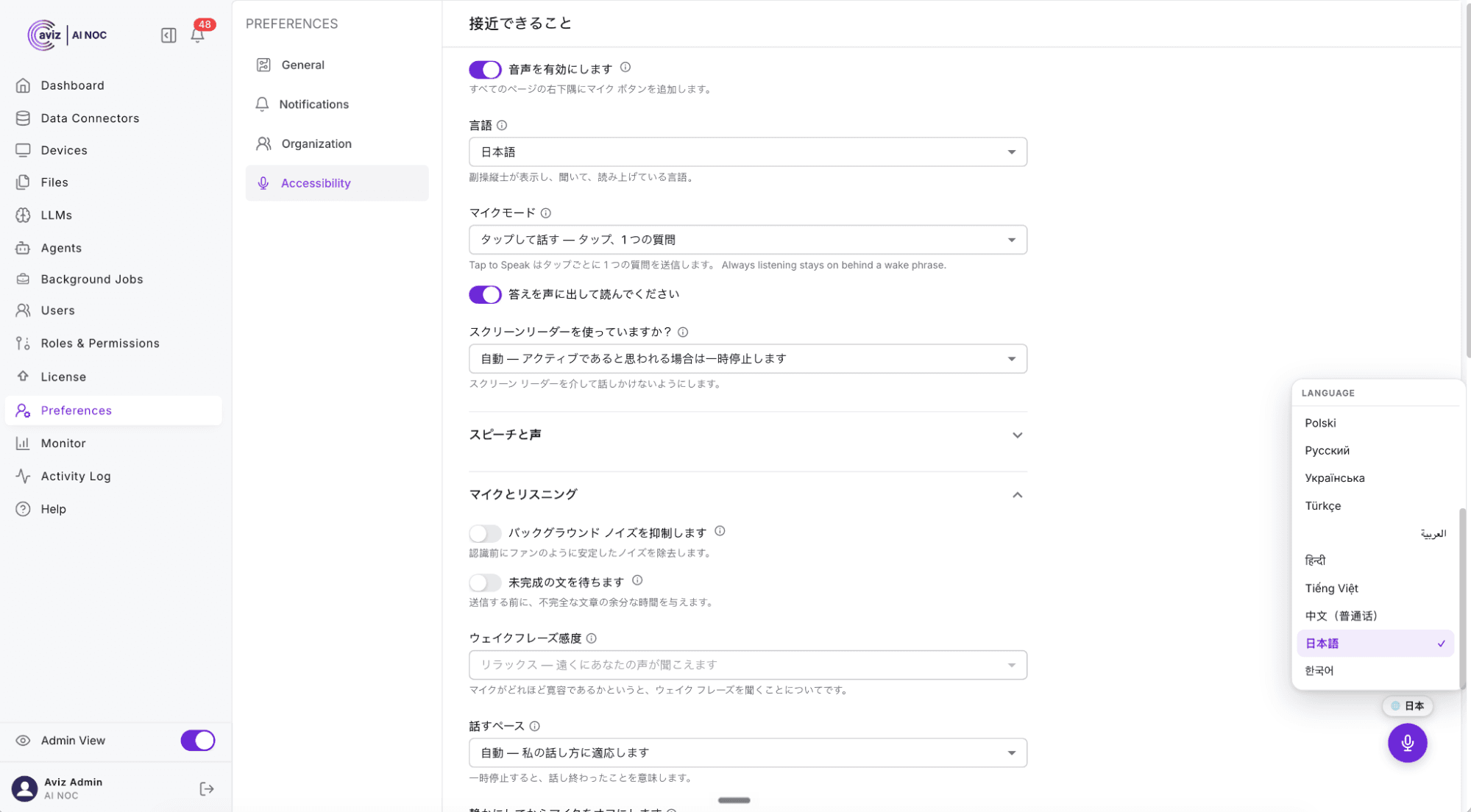
Language is personal, so it's a personal setting. Every user picks their own, or leaves it on Auto and lets the browser decide. Your Tokyo team, your Frankfurt team, and your São Paulo team all work in the same Network Copilot instance and each sees it in their own language.
And when a colleague's response comes back in a language you don't read? It's translated before it hits your screen. On Chrome 138 and later, that translation happens on-device, so the text never leaves your machine either.
Does Network Copilot voice recognition understand networking terms like VXLAN and BGP?
Yes. Evokable ships with an organization pack of 34 networking terms, and you can add your own, with the written form and the way people actually say it.
Consumer speech recognition has never heard of HWSKU. It thinks BGP is a typo. It will turn your device naming scheme into breakfast cereal.
So we gave Evokable a vocabulary. An organization packs ships with 34 networking terms pre-loaded. Add your own: the written form, the way people actually say it, done. Export it, import it, share it across your team. Your recognizer learns your network's language, not the other way around.
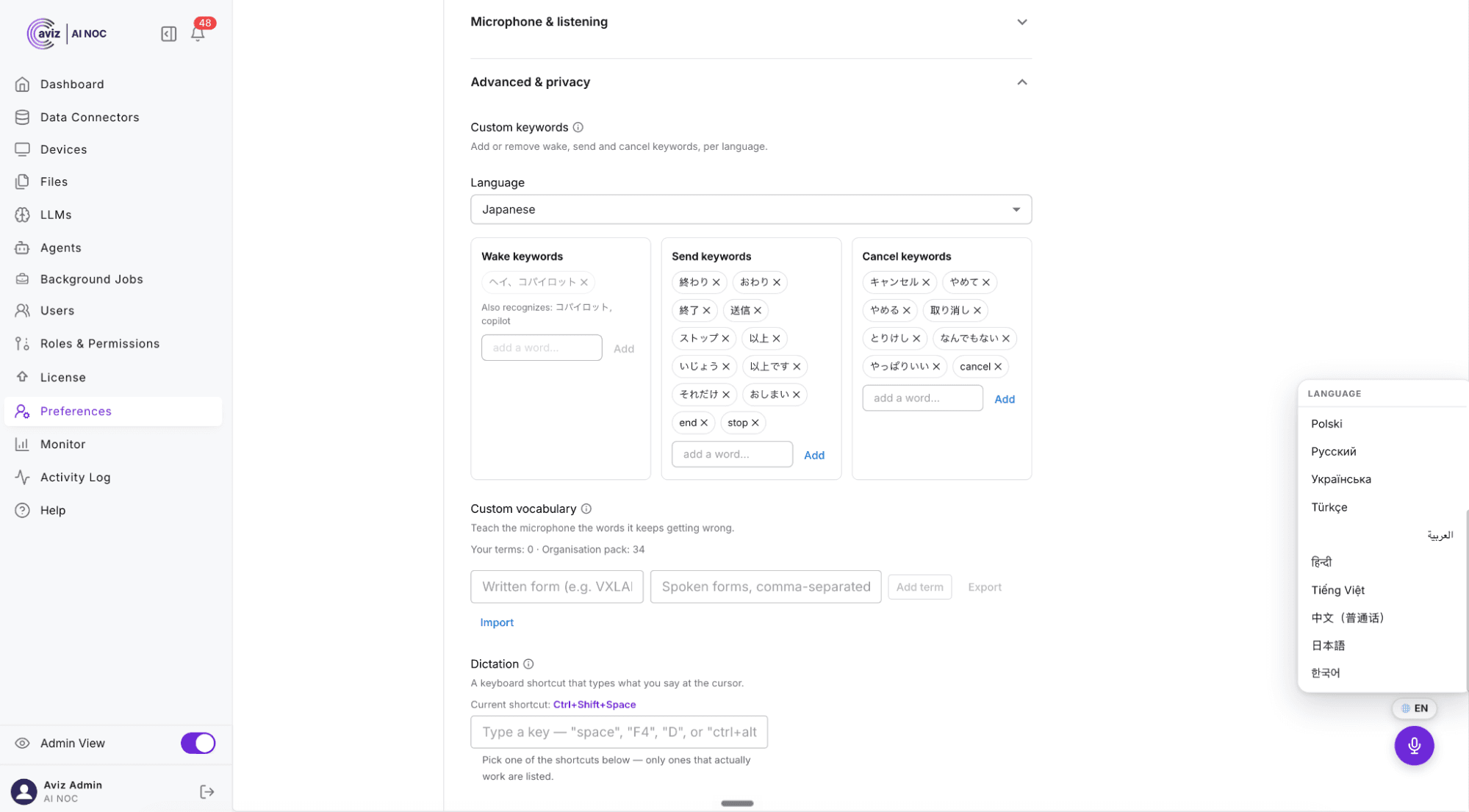
Wake words, send words, and cancel words are all yours to change. Out of the box, "that's all" sends, "scratch that" cancels, and "over" works exactly like it does on a radio.
Does Network Copilot send your voice to a server?
Here's the part that makes security teams exhale.
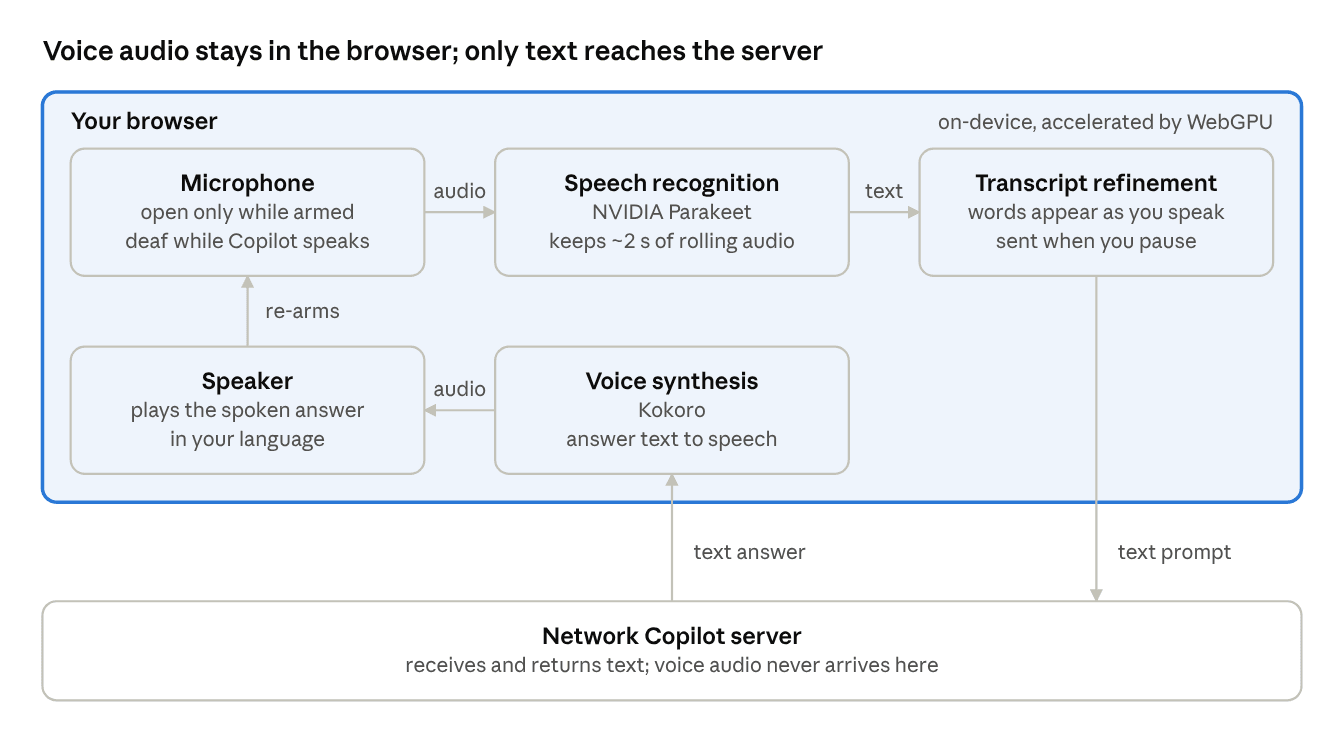
Everything runs on your machine. Speech recognition, transcript refinement, and voice synthesis all execute in the browser, on-device, using NVIDIA Parakeet and Kokoro models accelerated by WebGPU. Voice audio does not touch a Network Copilot server. Not for processing, not for logging, not for anything.
Off means off. Until you enable voice, it adds no widget, no listeners, and downloads no models. Zero footprint.
The mic is disciplined. Open only while armed. Deaf while the Copilot speaks. And once you pause it, the application cannot reopen it. Only you can.
Nothing is retained while it waits. Before the wake phrase, the recognizer keeps about two seconds of rolling audio and discards everything older. Nothing in that window is stored, shown, or sent.
Zero backend changes. The entire capability ships browser-side. Nothing in your Network Copilot deployment's server architecture changed, which means nothing new was exposed.
See how Network Copilot supports AI-assisted network operations today: explore Network Copilot.
Does Network Copilot support Section 508 accessibility requirements?
Network Copilot voice was built for Section 508 from day one. Aviz is completing a full WCAG 2.1 AA evaluation and will publish the Accessibility Conformance Report alongside the VPAT.
If you sell to or work within U.S. federal agencies, Section 508 isn't optional. It requires that the technology you deploy be usable by people with disabilities, measured against WCAG 2.0 Level AA.
Voice input opens Network Copilot to engineers who can't type comfortably. Voice output opens it to engineers who can't read a screen comfortably. Per-user language opens it to engineers who don't work in English. And the screen-reader-aware setting means the product cooperates with assistive technology instead of competing with it. We're completing a full WCAG 2.1 AA evaluation and will publish the Accessibility Conformance Report alongside the VPAT. If your procurement process needs that documentation, talk to your account team and we'll share where we are.
How does Network Copilot help multilingual teams troubleshoot together?
Network Copilot can act as a real-time bridge between engineers, translating technical conversations while preserving the context of network terminology, troubleshooting steps, configurations and remediation guidance.
Network troubleshooting is rarely a solo effort. During a late-night incident, engineers often need to work together across teams to understand the problem, exchange context, debug the network, and identify the right remediation.
This collaboration typically involves sharing runbooks, configurations, debugging steps, logs, and remediation procedures. The challenge becomes even more interesting when the engineers are distributed across different regions and speak different languages.
Imagine a North American engineer communicating in English while a Japanese engineer works in Japanese. Traditionally, language can become another barrier during an already stressful troubleshooting session.
Network Copilot can act as a real-time bridge between engineers, not just helping them troubleshoot the network, but helping them understand each other. It can translate technical conversations while preserving the context of network terminology, troubleshooting steps, configurations, and remediation guidance.
The result is a more seamless collaboration experience where engineers can focus less on language barriers and more on solving the problem together.
How do you turn on voice in Network Copilot?
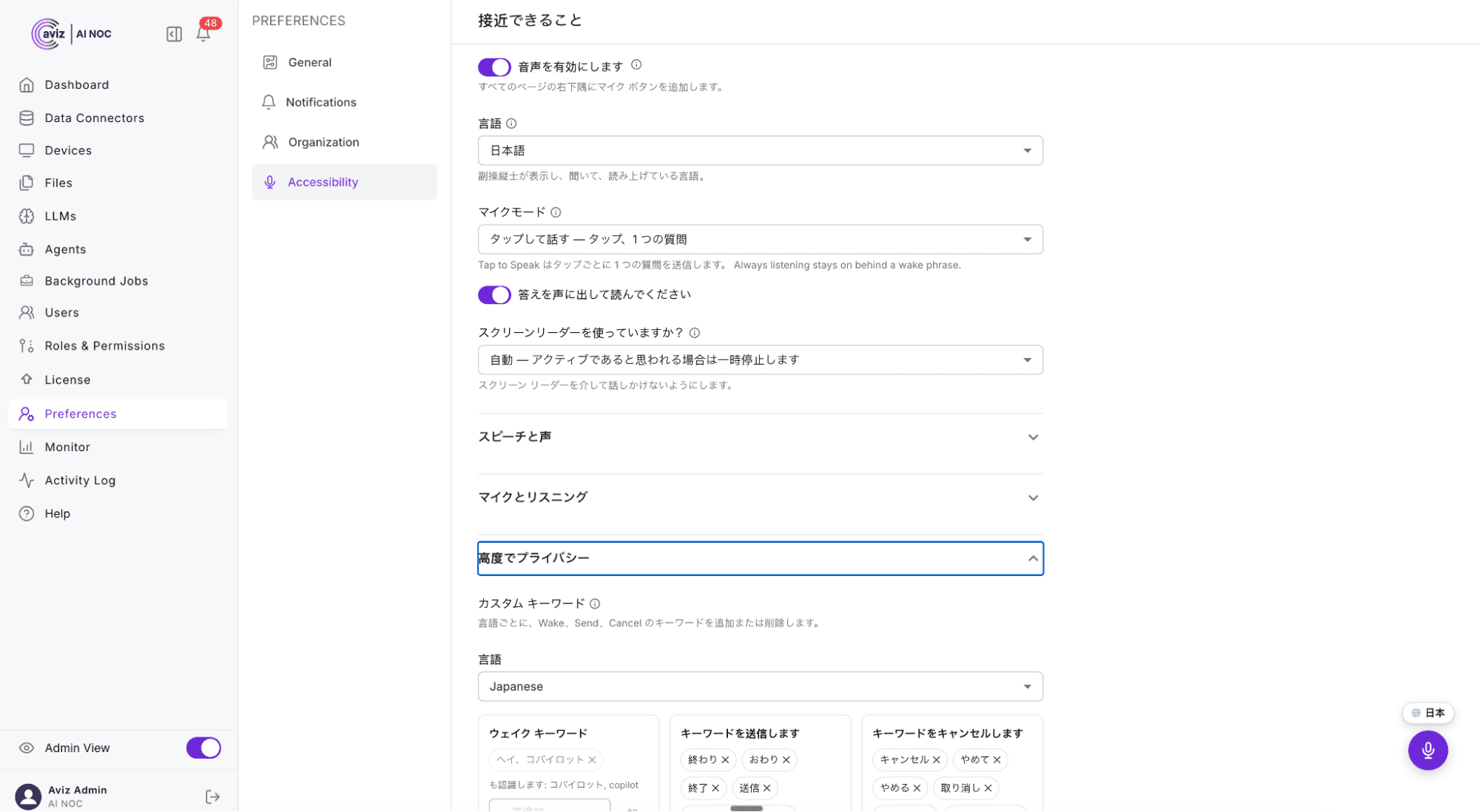
Evokable is live in Chrome, Edge, and Safari. Enable it under Preferences → Accessibility, flip the toggle, and say hello.
Conclusion
Evokable lets engineers ask Network Copilot a question out loud, in their own language, and hear the answer read back, with no voice audio leaving the machine and no backend changes. For on-call engineers, global network operations teams and federal buyers, that removes the keyboard, the language barrier and a new data exposure from the same workflow.
Frequently Asked Questions
What languages does Network Copilot support?
Network Copilot supports 18 languages across the entire interface, including labels, suggestion chips, system messages, settings pages, and voice interactions.
Does my voice data get sent to external servers?
No. Speech recognition, transcript refinement, and voice synthesis all run on-device inside your browser using WebGPU acceleration. Voice audio never leaves your machine or touches Network Copilot servers.
How does voice recognition handle technical network terminology?
Evokable includes a custom vocabulary feature pre-loaded with networking terms. You can also add custom terms, written forms, and pronunciations tailored to your network's specific naming conventions.
Is Evokable compliant with accessibility standards?
Yes, Evokable was built from day one to align with Section 508 and WCAG 2.0 Level AA guidelines, featuring assistive technology integration and screen-reader awareness.
Is the microphone always listening?
No. The mic is open only while you have armed it. While it waits for the wake phrase, it keeps about two seconds of rolling audio and discards everything older. Nothing in that window is stored, shown, or sent.
Does everyone on my team have to use the same language?
No. Language is a per-user setting. Each person picks their own, or leaves it on Auto to follow the browser. Teams in different regions can share one instance.
What if a colleague's response is in a language I don't read?
It is translated before it reaches your screen. On Chrome 138 and later, the translation runs on-device, so the text stays on your machine.


