





Failure to Full Recovery: How ONES RMA Simplifies RMA
 September 16, 2025
 ONES & SONiC
TL;DR
- Traditional RMA is manual, slow, and error-prone.
- ONES RMA automates backups, compatibility checks, and swaps.
- Result: predictable recovery with near-zero downtime and full transparency.
Introduction
When network hardware fails, every second counts. Traditional RMA often feels like firefighting, searching for backups, guessing at hardware compatibility, and manually restoring configurations while hoping services come back online smoothly.
ONES RMA changes this story. It transforms replacement into a controlled, automated, and transparent process that teams can handle with confidence and minimal disruption.
What Makes ONES RMA Different?
ONES RMA automates the entire RMA process from failure detection to configuration restore so your team can recover services quickly without manual effort or guesswork.
What is RMA in Networking?
RMA (Return Merchandise Authorization) is the process of replacing faulty hardware, but in networking it requires more than just swapping devices.
A successful RMA must ensure:
- Hardware compatibility (SKU, firmware, interfaces)
- Accurate configuration restoration
- IP and role continuity
- Minimal downtime and disruption
Without automation, this process is slow, error-prone, and stressful.
How ONES RMA Work Step by Step?
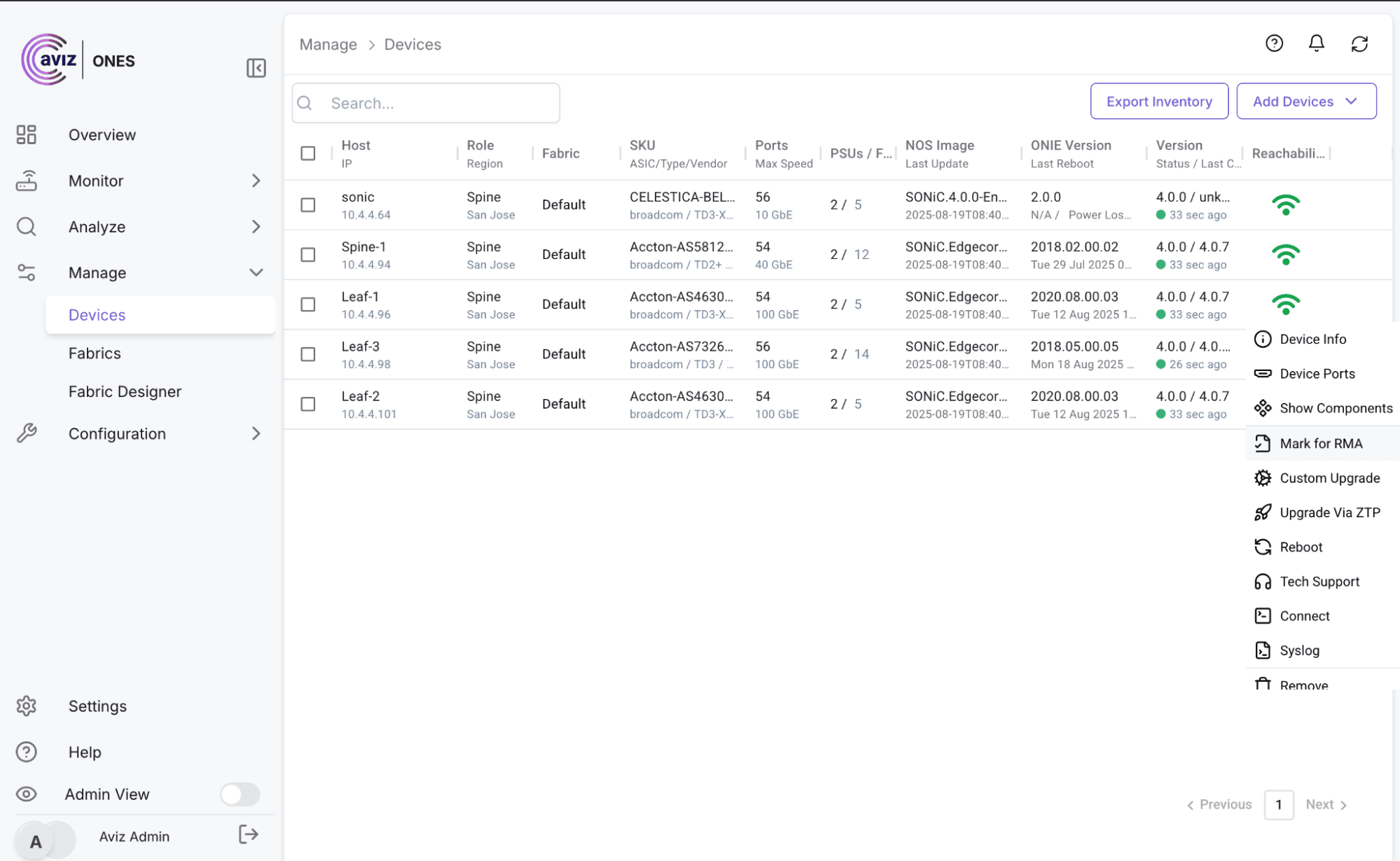
Figure 1: Marking the Device for RMA
1. Identify & Mark Device for RMA
- Flag failing hardware directly from the Customer Inventory Grid.
- ONES verifies if a backup exists and prompts you to create one if missing.
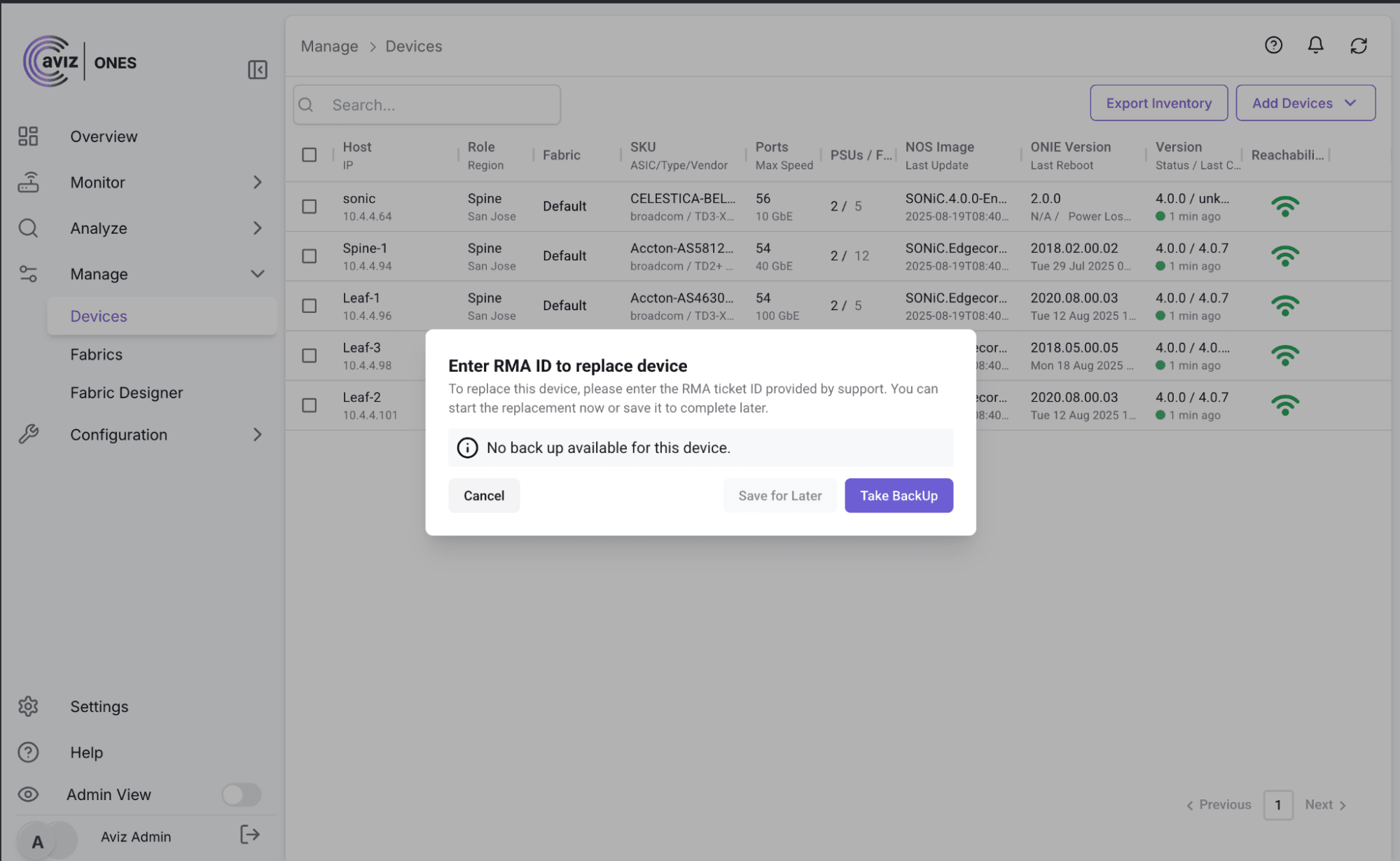
Figure 2: Replacing Device with RMA ID
2. Open & Track the RMA Ticket
- Enter the vendor's RMA ticket ID.
- Device appears in the centralized RMA Dashboard.
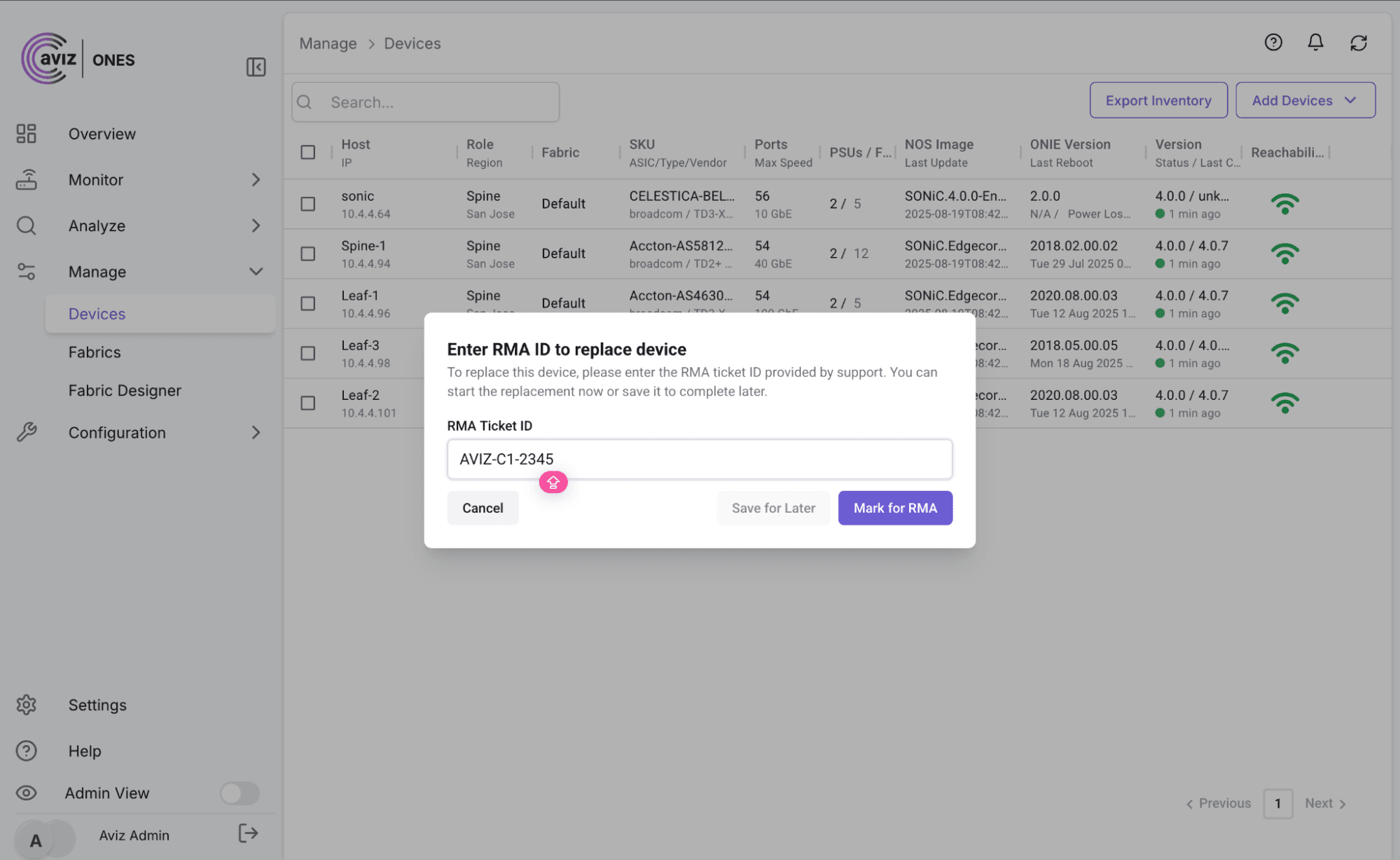
Figure 3: Tracking RMA status using ONES
3. Manage RMA in the Dashboard
- Start replacement or undo if needed.
- Track all active RMAs in one place.
4. Auto-Match a Compatible Replacement
ONES scans inventory and suggests only valid replacements based on SKU, firmware, and interfaces.
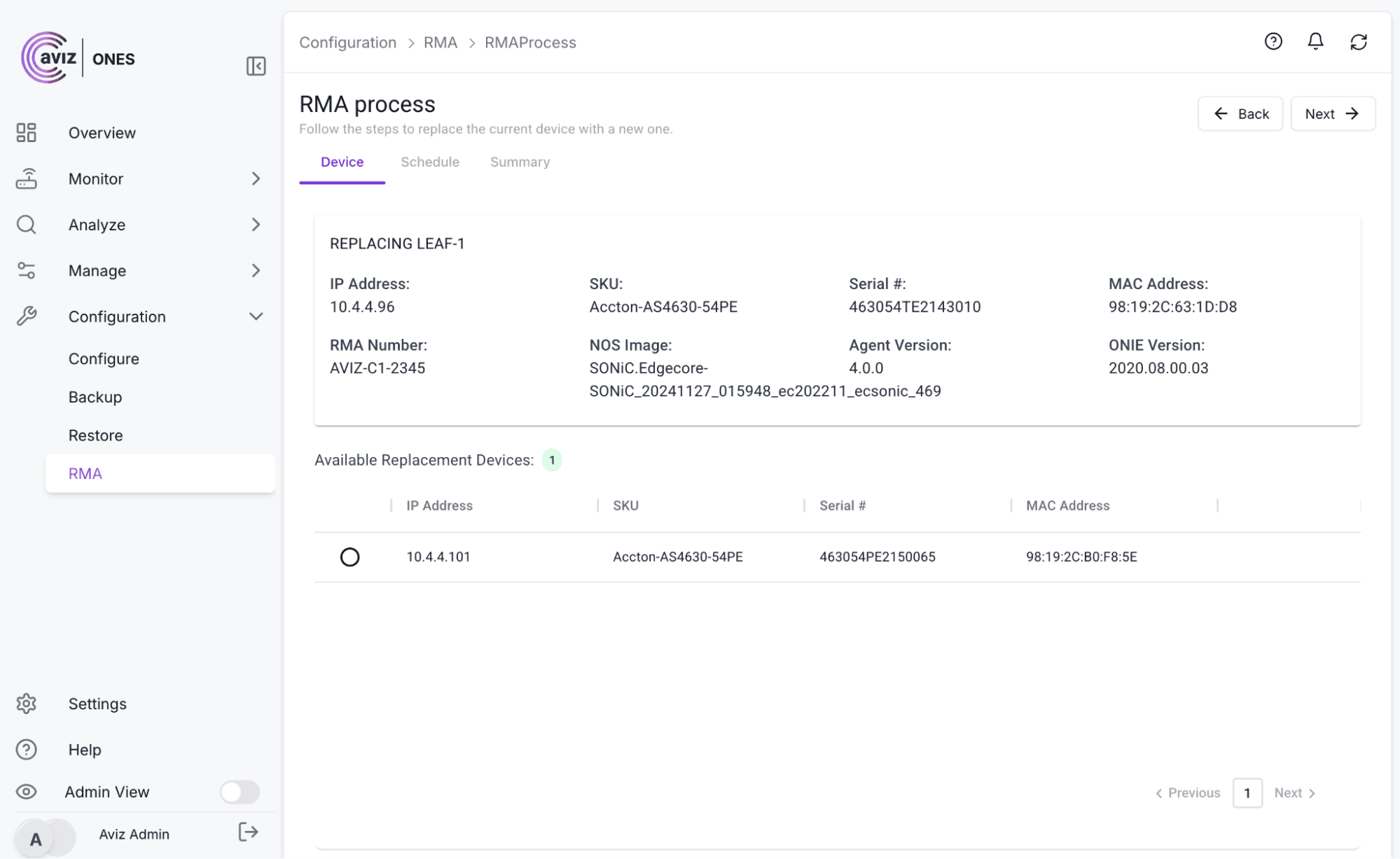
Figure 4: RMA Inventory and Devices
5. Schedule & Approve the Swap
- Select the backup configuration.
- Schedule an exact time for replacement.
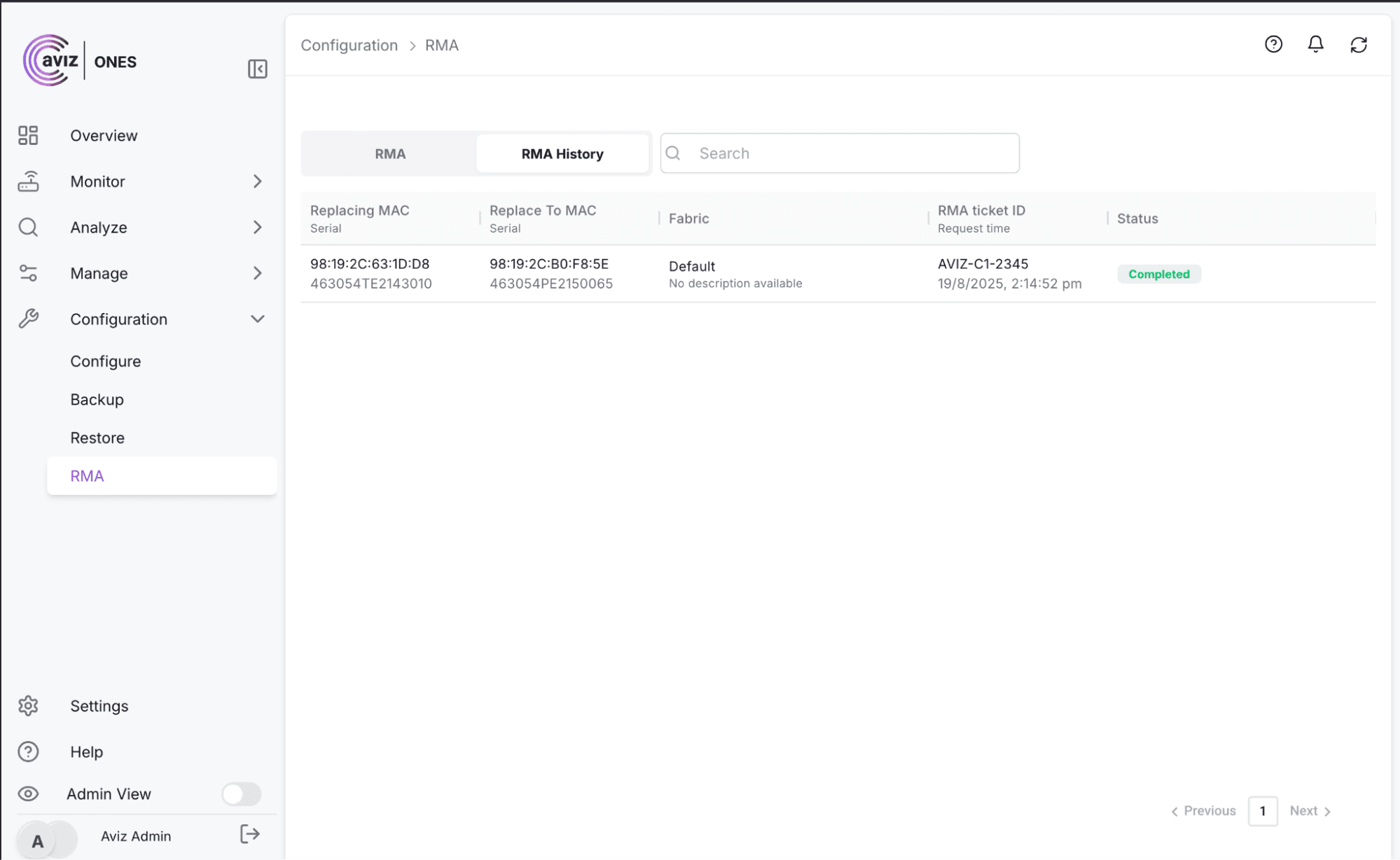
Figure 5: Selecting the Compatible Device for RMA

Figure 6: Schedule the RMA process to replace the faulty Device
What Happens During an ONES RMA Swap?
At the scheduled time, ONES automatically removes the faulty device, configures the replacement, and restores services with the same hostname and IP.
During the Swap:
- Device gracefully removed from monitoring
- Replacement inherits hostname and IP
- Configuration restored from backup
- Logs and timestamps recorded for every stage
- Option to reschedule or undo if needed
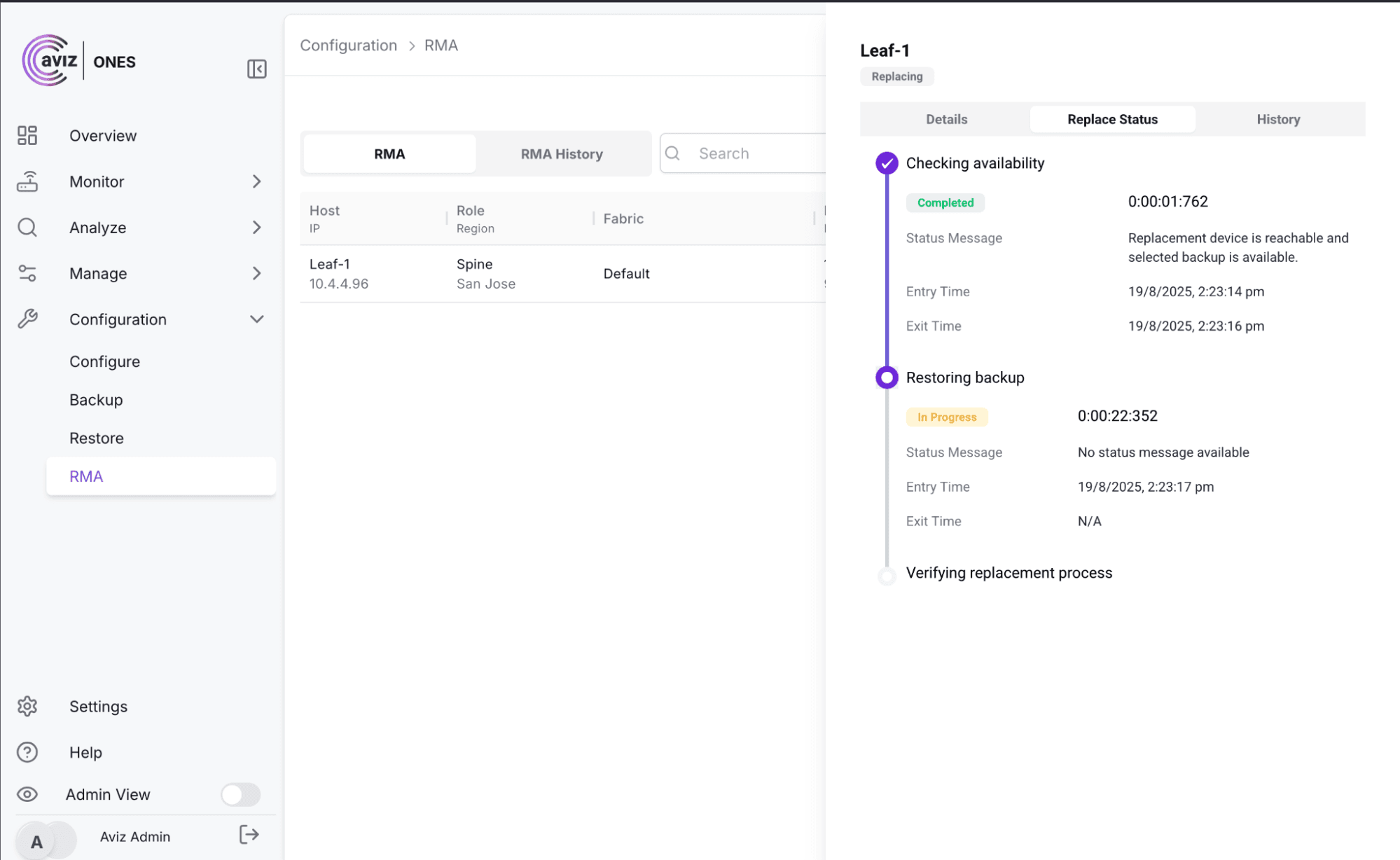
Figure 7: Select the timeframe to initiate the RMA process
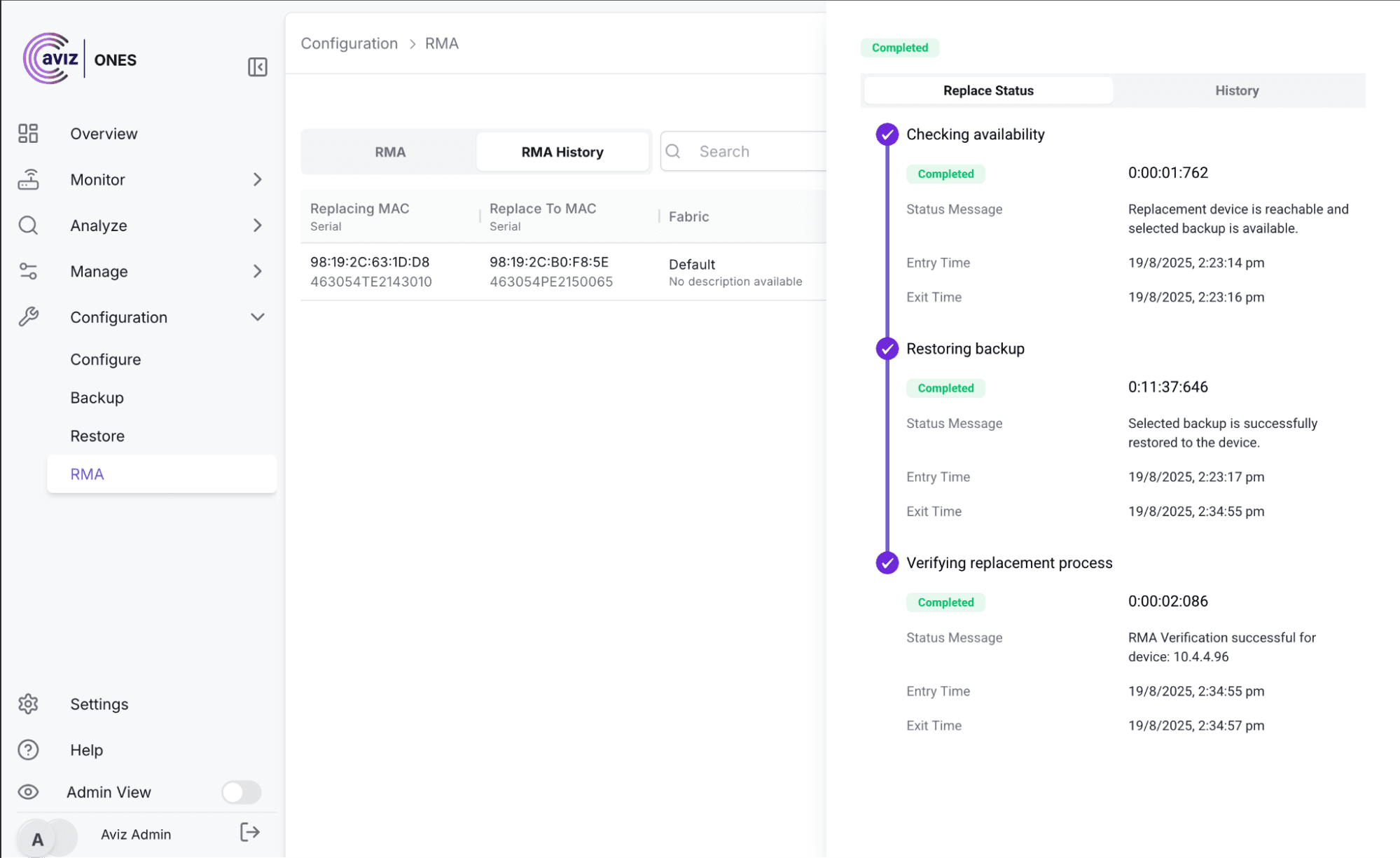
Figure 8: Restoring the configuration and RMA verification
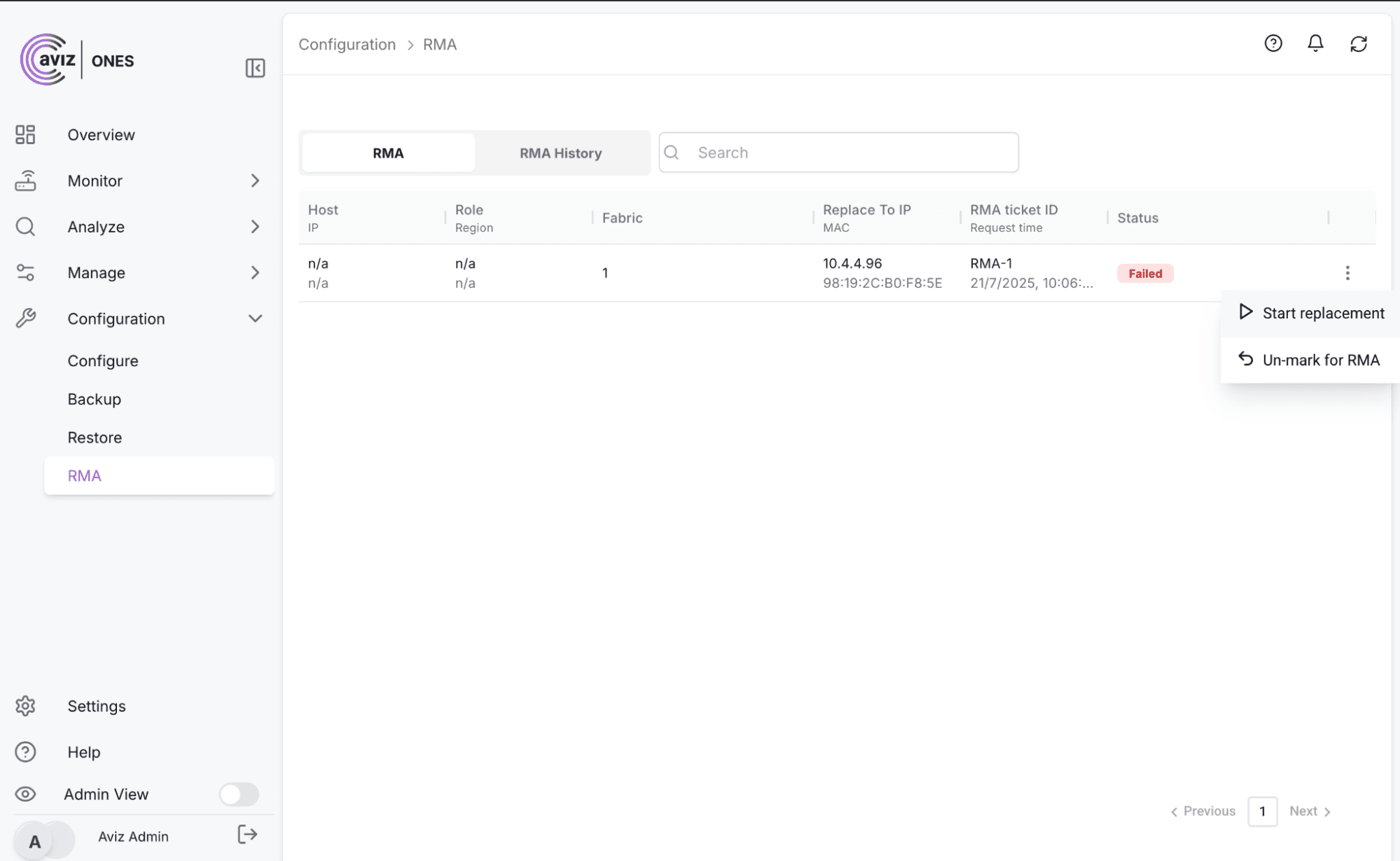
Figure 9: RMA Completion and Restoration
What Are the Benefits of ONES RMA?
| Traditional RMA | With ONES RMA |
|---|---|
| Manual backups (often missed) | Automated backup check + prompts |
| Guesswork on hardware compatibility | Auto-match valid replacements |
| Limited visibility | Transparent dashboard & logs |
| Service disruption risk | Instant restore with same IP & config |
Conclusion
Failures are inevitable. Outages don't have to be. With ONES RMA:
- Backups are always verified.
- Replacement is automated and predictable.
- Every stage is transparent and logged.
- Services come back online with near-zero downtime.
ONES RMA proves your network is resilient turning potential outages into non-events.
See ONES RMA in action
Request a demo and see how your team can bounce back from failures quickly, accurately, and with confidence.


