





Collaboration Meets Intelligence: How Multi-User Chat & Notifications in Network Copilot Enhance Operational Efficiency
 March 6, 2026
 Network Copilot ™

In fast-paced data center and enterprise environments, network issues don’t wait and neither should your team. With the increasing scale and complexity of infrastructure, collaboration is no longer nice to have. It’s a necessity. That’s why we’ve introduced two powerful features in Network Copilot to help your teams stay aligned, act faster, and improve the overall quality of operations:
- Multi-User Chat
- Real-Time Notifications
These new capabilities transform Network Copilot from a single-user assistant into a collaborative AI workspace for network teams.
Multi-User Chat: Work Together, Smarter
In traditional NOC workflows, context is scattered across dashboards, emails, Slack messages, and ticketing tools. Multi-User Chat in Network Copilot changes that.
1. What It Enables:
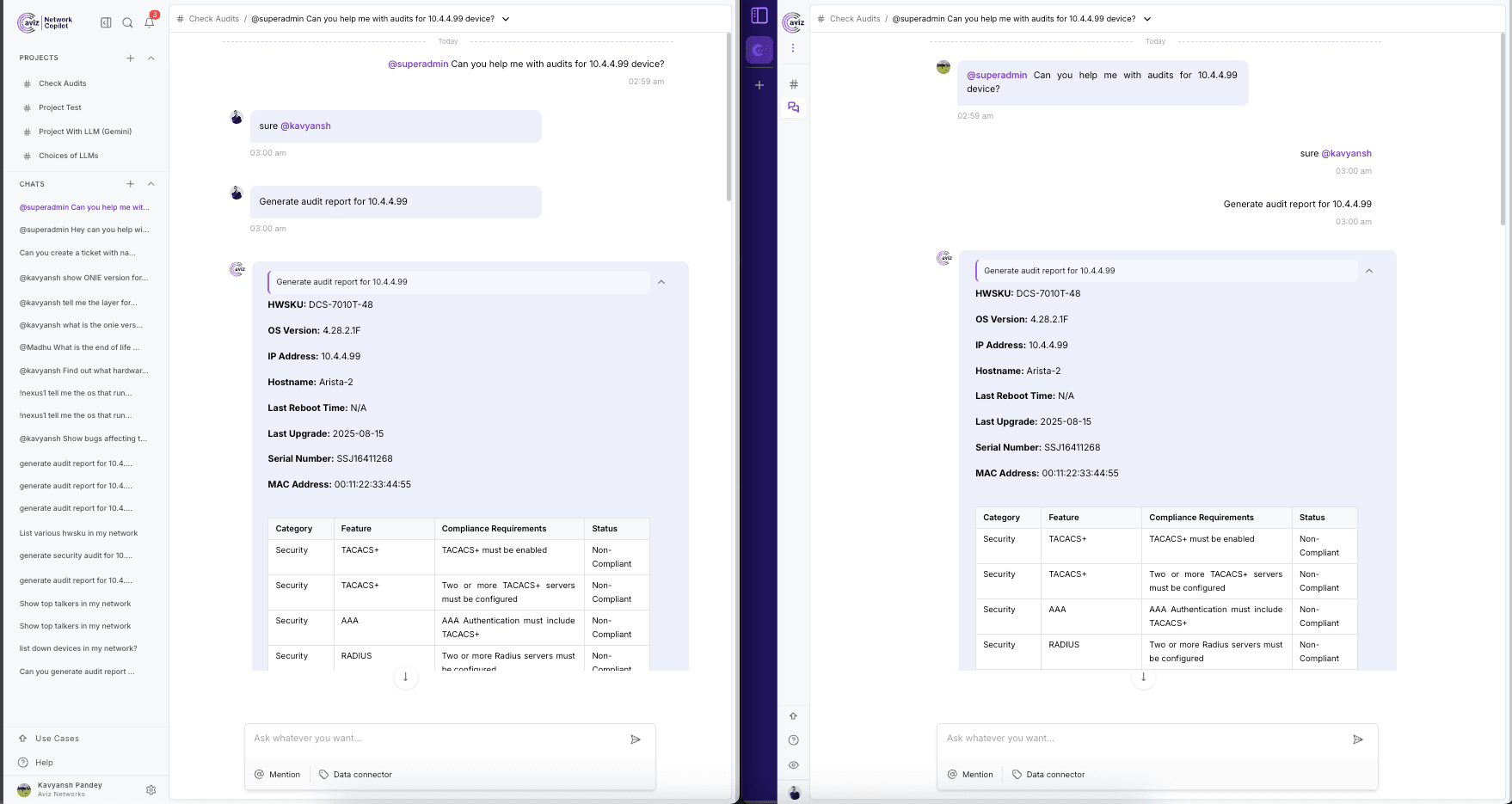
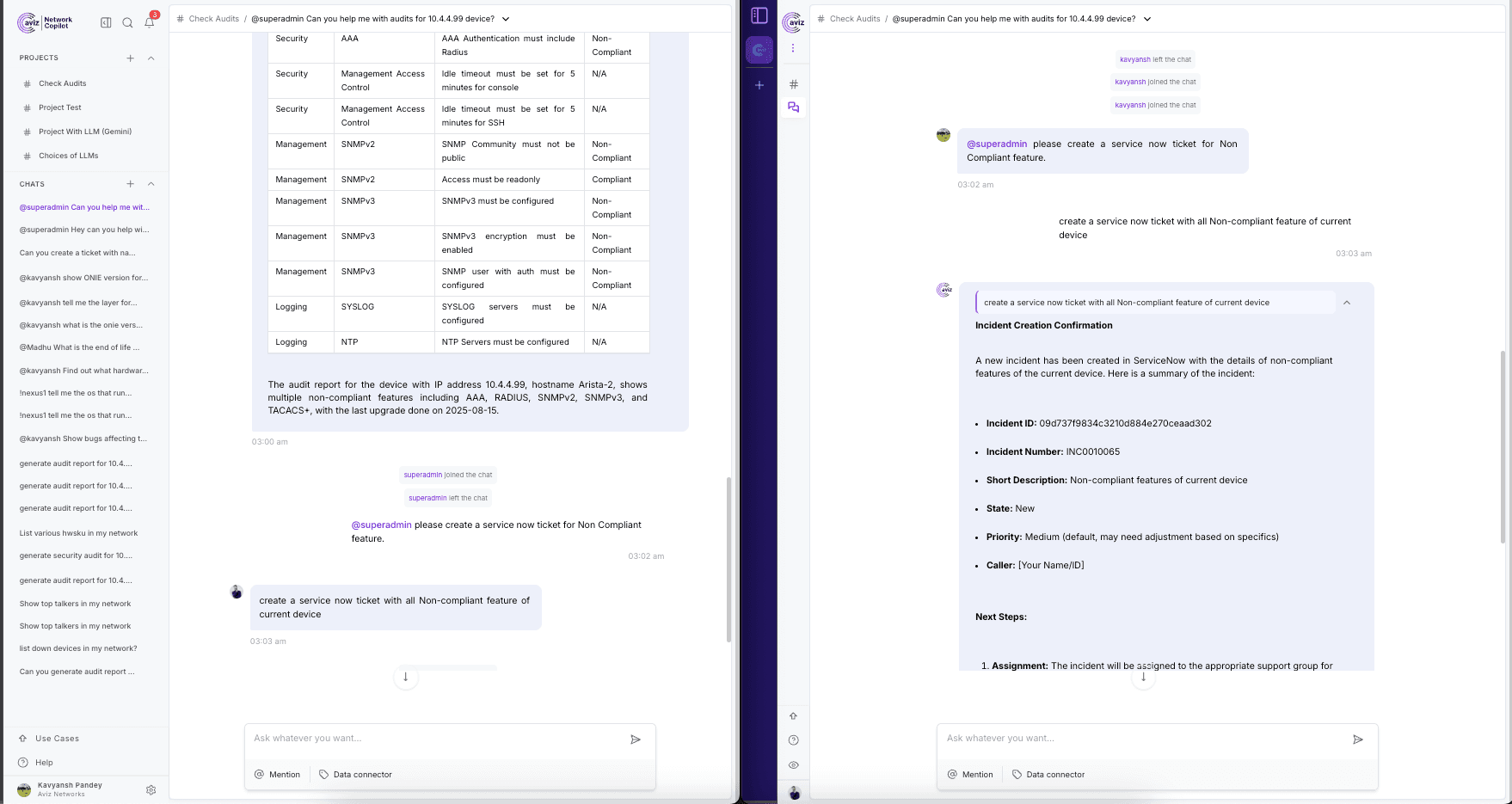
- Shared Conversations Around Data: Multiple users can participate in a conversation tied to the same project or incident.
- Ask AI, Together: Users can query the Copilot in a shared thread, view responses together, and collaborate on next steps.
- @Mentions for Instant Attention: Tag teammates to loop them into relevant discussions instantly.
- Persistent Project Channels: Each project has its own dedicated space for discussions, decisions, and AI outputs preserved for future reference.
2. Real Impact on Quality:
- No more losing key context between tools decisions are made where the data lives.
- Reduced cognitive load: everyone sees the same AI outputs and human insights in one place.
- Faster incident response through real time collaboration around AI findings.
Notifications: Awareness Without Disruption
When managing complex infrastructure, it's not just about what happens it’s about knowing it when it happens. Our new notification system ensures you're never in the dark.
1. What You’ll Get:
- Mentions & Replies: Get notified when someone tags you in a project conversation.
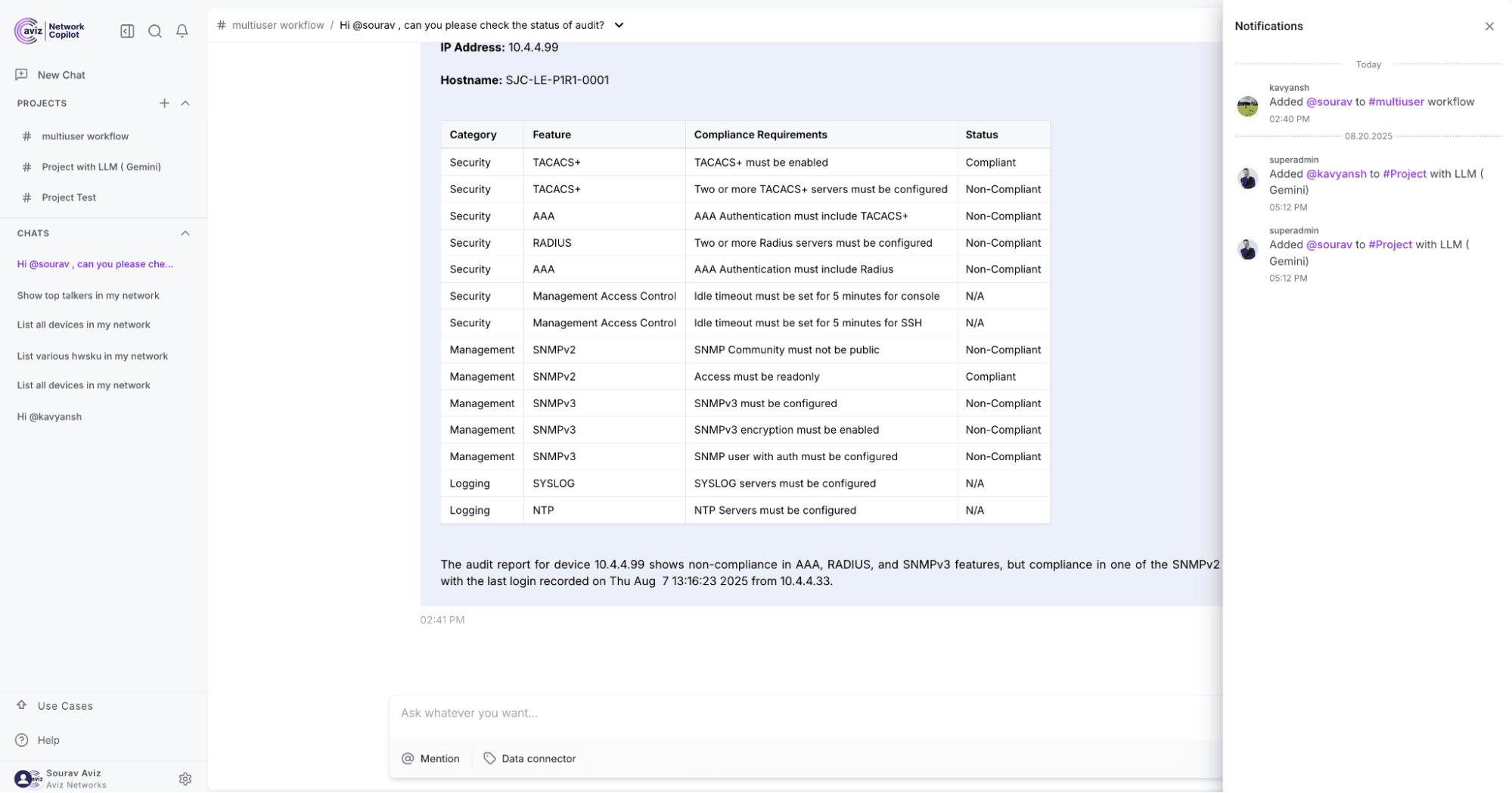
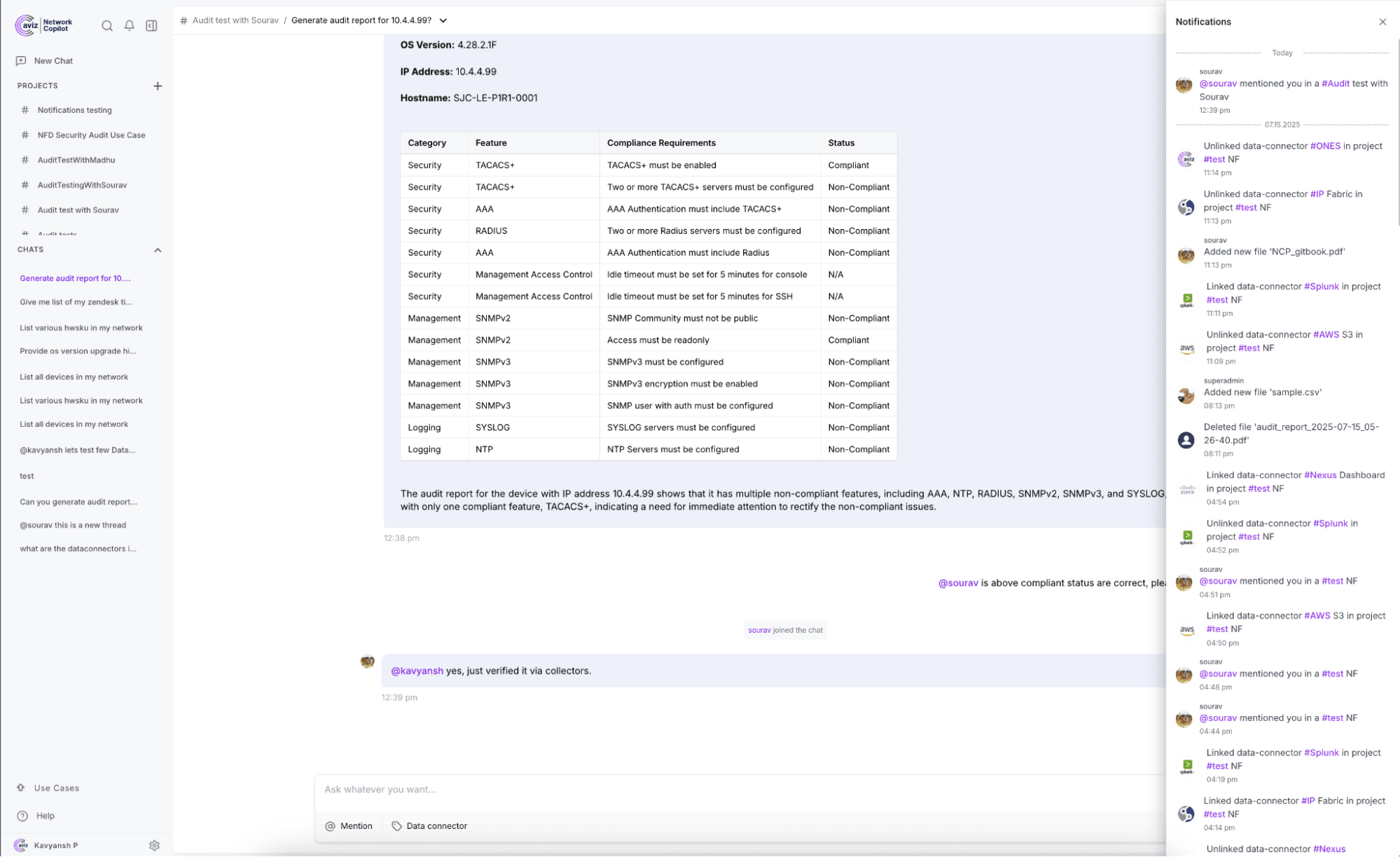
- Project Activity: Receive alerts when there are new messages, file uploads, or insights generated by AI.
- Real-Time, In-App Updates: Stay informed without needing to refresh or dig through logs.
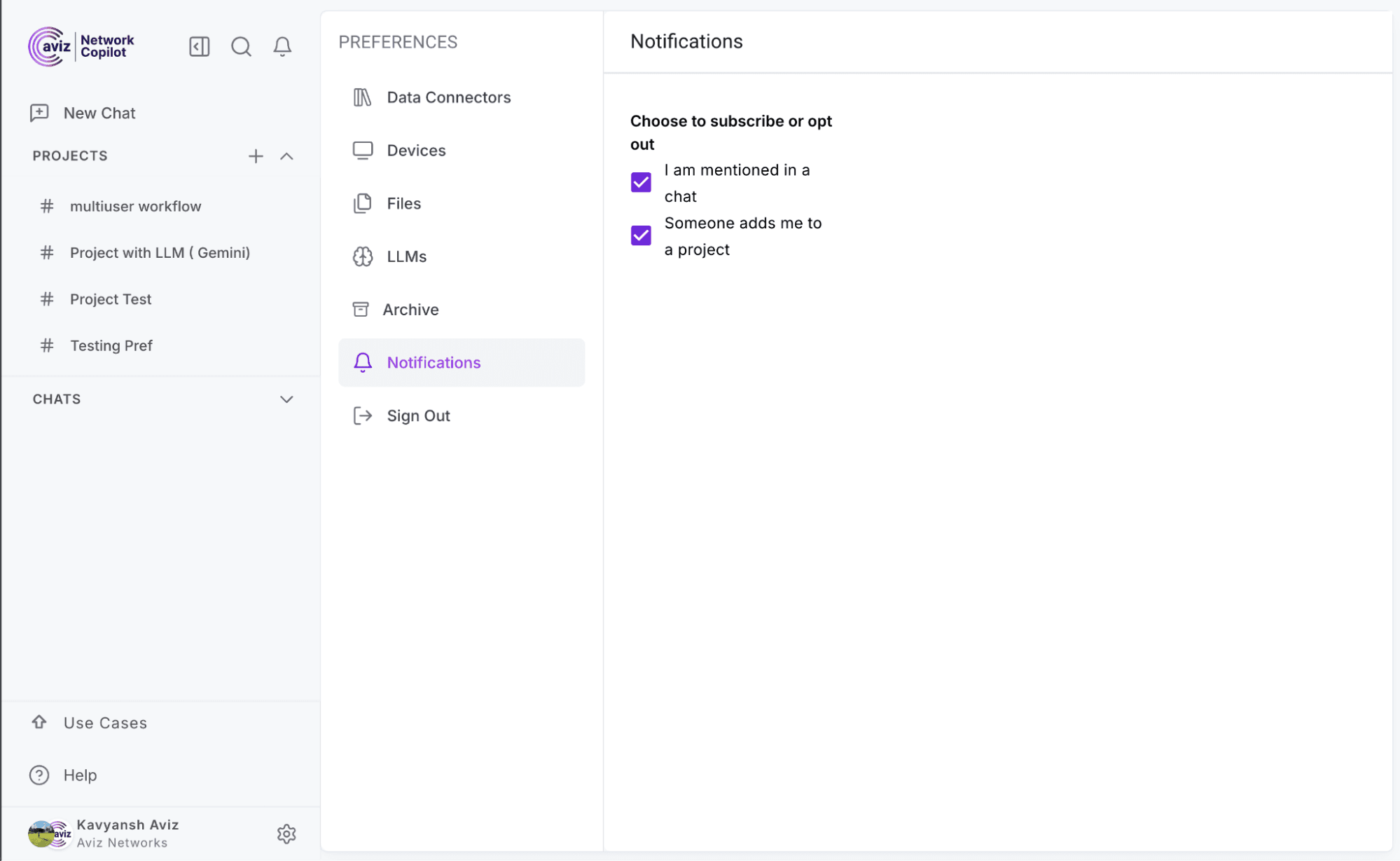
- Configurable Preferences: Control how and when you want to be notified your workflow, your rules.
2. Real Impact on Quality:
- Prevent missed updates or delayed responses by staying looped in automatically.
- Keep teams aligned even in distributed or asynchronous work settings.
- Improve accountability by ensuring everyone knows who was mentioned and when.
Why This Matters for Your Team
Together, Multi-User Chat and Notifications create a high-collaboration, high-awareness environment inside Network Copilot.
Conclusion:
| Challenge | Before | After |
|---|---|---|
| Collaboration | Single-user interaction with AI | Multi-user, shared understanding |
| Context Switching | Data in Copilot, discussion elsewhere | Everything in one place |
| Response Times | Delayed due to lack of visibility | Real-time mentions and alerts |
| Decision Quality | Siloed interpretation | Collective intelligence & AI-backed clarity |
Network Copilot now brings collaboration and intelligence together in one place. By removing barriers to teamwork and enabling real-time awareness, it transforms how teams operate. The outcome: faster responses, smarter decisions, and stronger business resilience.
Explore how Network Copilot can transform your operations.
Frequently Asked Questions
1. What problem does Network Copilot solve for network teams?
Network Copilot addresses slow response times and poor collaboration caused by scattered context across dashboards, chat tools, and tickets. It brings AI insights and team discussions into one shared workspace.
2. How does Multi-User Chat improve collaboration in Network Copilot?
Multi-User Chat allows multiple users to participate in the same conversation tied to a project or incident. Teams can view AI responses together and collaborate on next steps in real time.
3. How does Network Copilot reduce context loss during incidents?
All discussions, decisions, and AI-generated insights are preserved in persistent project channels. This prevents key information from being lost across emails, Slack, or external tools.
4. How do shared AI conversations improve decision quality?
When teams query the Copilot in a shared thread, everyone sees the same AI outputs and data context. This enables collective interpretation instead of siloed decision-making.
5. How do @mentions work in Network Copilot?
@mentions allow users to tag teammates directly in conversations. This instantly brings the right people into discussions without switching tools or sending separate messages.
6. What types of notifications does Network Copilot provide?
Network Copilot sends real-time in-app notifications for mentions, replies, new project messages, file uploads, and AI-generated insights. Users stay informed without refreshing dashboards or logs.
7. How do notifications improve response time and accountability?
Notifications ensure team members are alerted as soon as they are mentioned or added to a project. This reduces delayed responses and improves clarity on ownership during incidents.
8. Can users control notification behavior in Network Copilot?
Yes, notification preferences are configurable. Users can control how and when they receive alerts to match their workflow and avoid unnecessary interruptions.
9. How does Network Copilot support distributed or asynchronous teams?
Real-time updates and persistent conversations keep teams aligned even when they are working across locations or time zones. Everyone has access to the same context and history.
10. What operational improvements does Network Copilot deliver?
Network Copilot enables faster incident response, reduces context switching, and improves decision quality. By combining collaboration and AI intelligence, it strengthens overall operational resilience.


