





AI Driven Processing of Offline Device Logs for Inventory and Troubleshooting
 December 16, 2025
 Network Copilot ™
Summary
Network operators often depend on offline CLI outputs from Cisco devices for diagnostics and inventory audits. These text files contain valuable information, but manually parsing them is slow and error prone. By converting unstructured logs into structured data and combining them with support knowledge such as lifecycle and bug advisories, AI transforms these static files into actionable intelligence that accelerates troubleshooting and root cause analysis.
Introduction
Support engineers frequently receive exported outputs of commands such as show version, show platform, and show inventory from routers and switches including ASR1001, NCS platforms, ASR9K, and Nexus switches. These files contain critical operational data related to software versions, hardware modules, serial numbers, firmware levels, uptime, and configuration registers. Manually interpreting these long text dumps is time consuming and prone to mistakes.
The challenge has two parts.
First, converting raw text into structured device
inventory.
Second, integrating the extracted results with lifecycle information, bug advisories, and
knowledge bases used during support and troubleshooting.
An automated AI driven workflow is needed to extract insights, correlate external knowledge, and provide interactive assistance.
The first stage focuses on parsing logs to extract software and hardware metadata.
Software Version and Uptime
Examples from ASR1001 logs include:
- Cisco IOS XE version 15.1(3)S3
- Uptime of 10 weeks, 3 days, 1 hour, 54 minutes
- Image name and bootflash location
- Configuration register value 0x2102
Chassis and Module Inventory
Outputs from show inventory reveal:
- Chassis model and serial number
- Route Processor and Embedded Services Processor modules
- Installed transceivers with individual serial numbers
Hardware Details
Extracted attributes include:
- Physical memory
- Interface counts
- Boot settings
Firmware and CPLD Versions
The show platform output provides:
- Firmware versions
- ROMMON information
- CPLD versions for modules
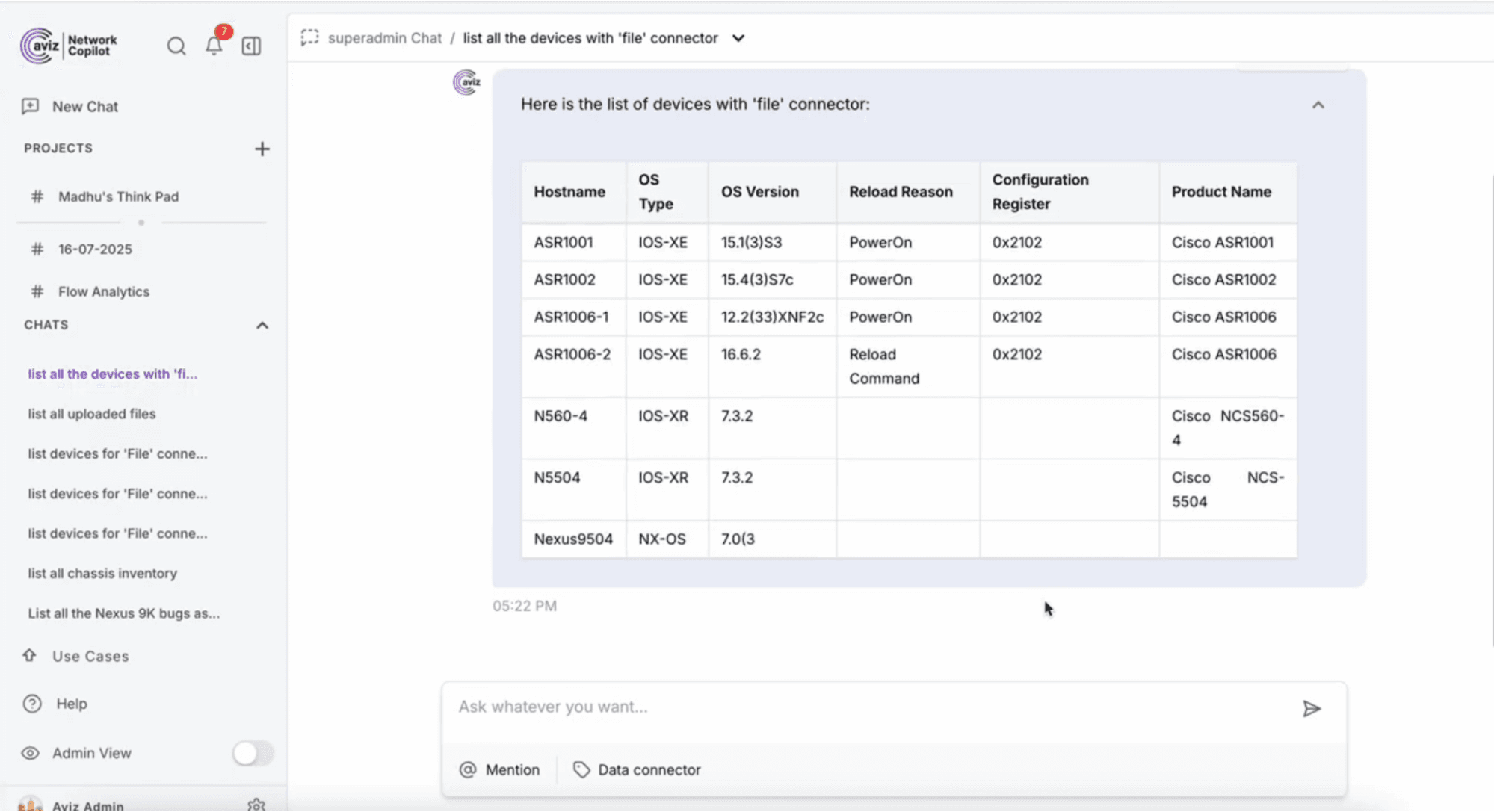
Example Structured Output
A structured summary contains fields such as:
- Device model
- OS version
- Uptime
- Serial numbers
- Module inventory
- Transceiver details
- Firmware versions
- Main memory
This extraction logic generalizes across Cisco device families including NX OS and IOS XR platforms.
Support Integration Challenges
Extracting raw inventory is only the first step. The next goal is correlating the extracted data with support knowledge.
Lifecycle and End of Support Data
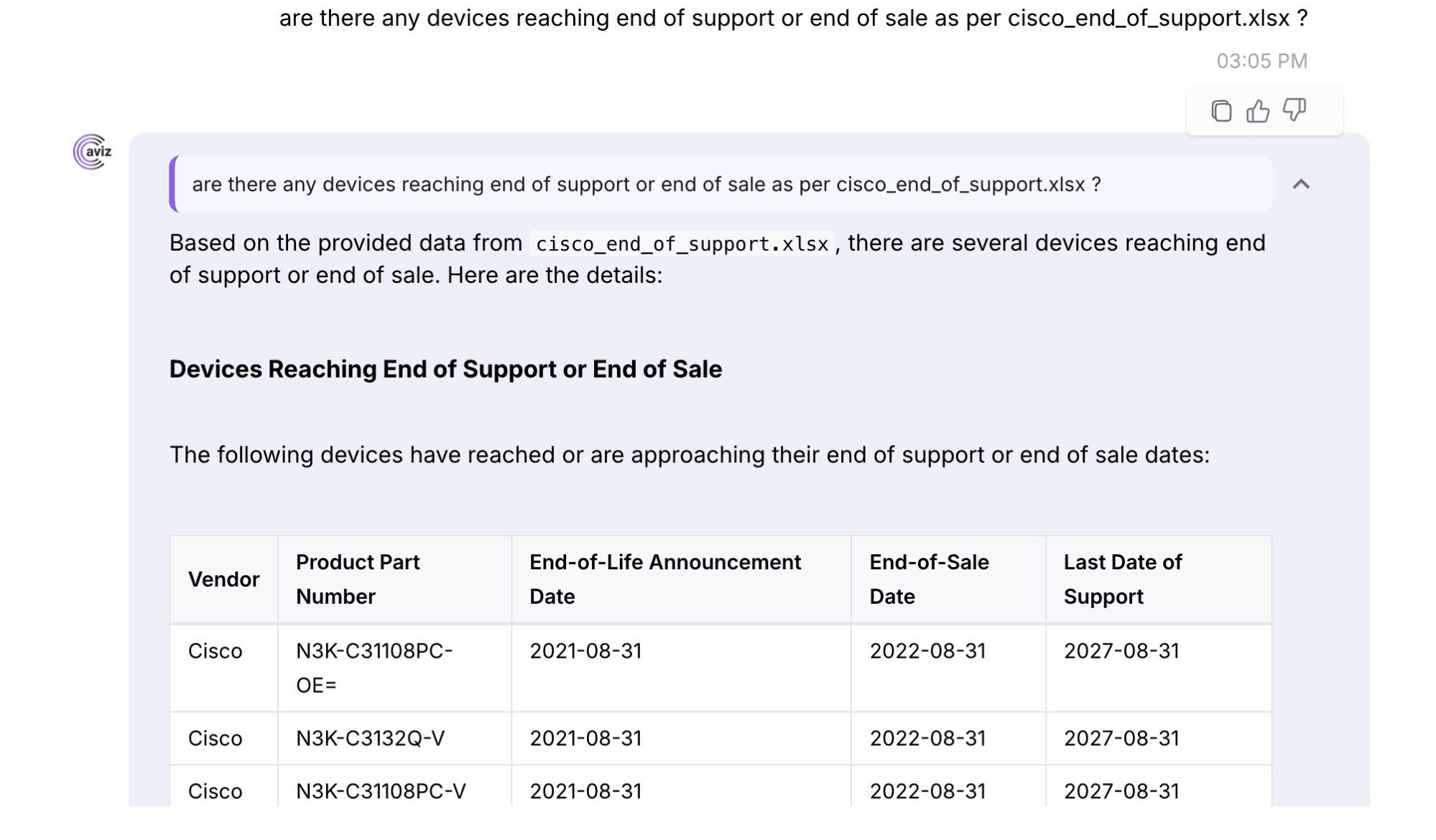
Lifecycle bulletins reveal that the Cisco ASR1001 platform reached end of support in April 2021. Without an integrated lifecycle dataset, the system cannot answer questions about end of life status.
Bug and Advisory Correlation
The software version IOS XE 15.1(3)S3 must be mapped to known caveats and vulnerabilities. Cisco release notes list specific bug IDs such as memory leak issues resolved in the 15.1(3)S train and SNMP related vulnerabilities discussed in advisory documents.
The challenge is linking parsed OS versions to bug databases and PSIRT advisories so the system can automatically highlight risks.
AI Driven RCA and Maintenance Workflows
Once structured data and support knowledge are available, an AI assistant can provide interactive troubleshooting using a retrieval augmented architecture.
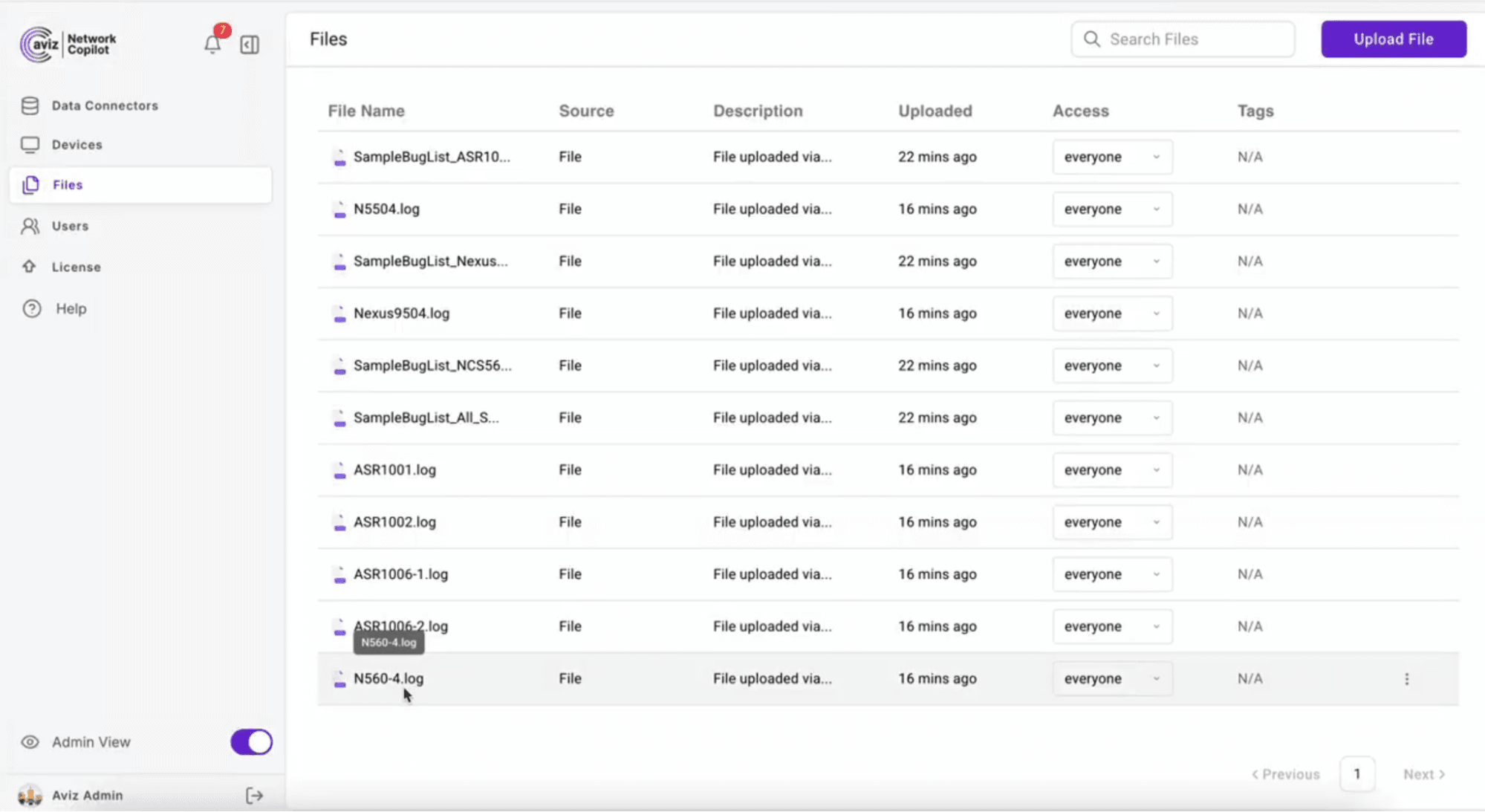
Document Ingestion and Indexing
Uploaded logs are broken into chunks and converted into vector embeddings. This allows
semantic search across all logs and knowledge sources.
Interactive Q and A with Context
When an engineer asks a question, the assistant retrieves relevant log fragments and
knowledge base entries before generating an answer. Examples include:
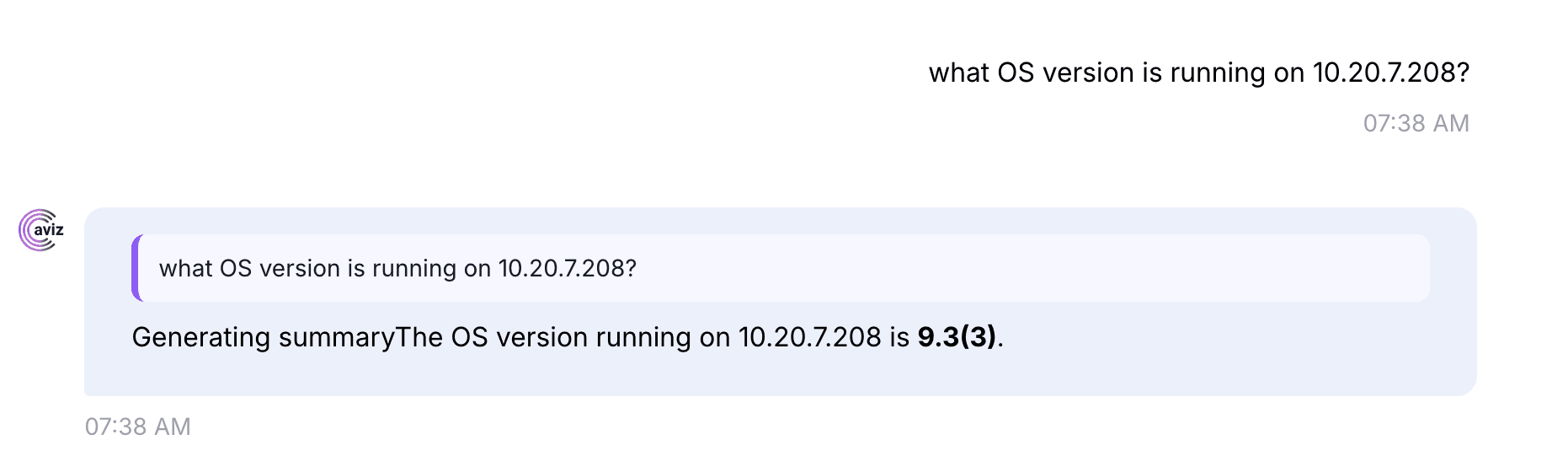
What is the current firmware version
The assistant combines show version and show platform details to report the OS version
and ROMMON version.
Is this device end of life
The assistant checks the lifecycle knowledge base and reports the retirement
status.
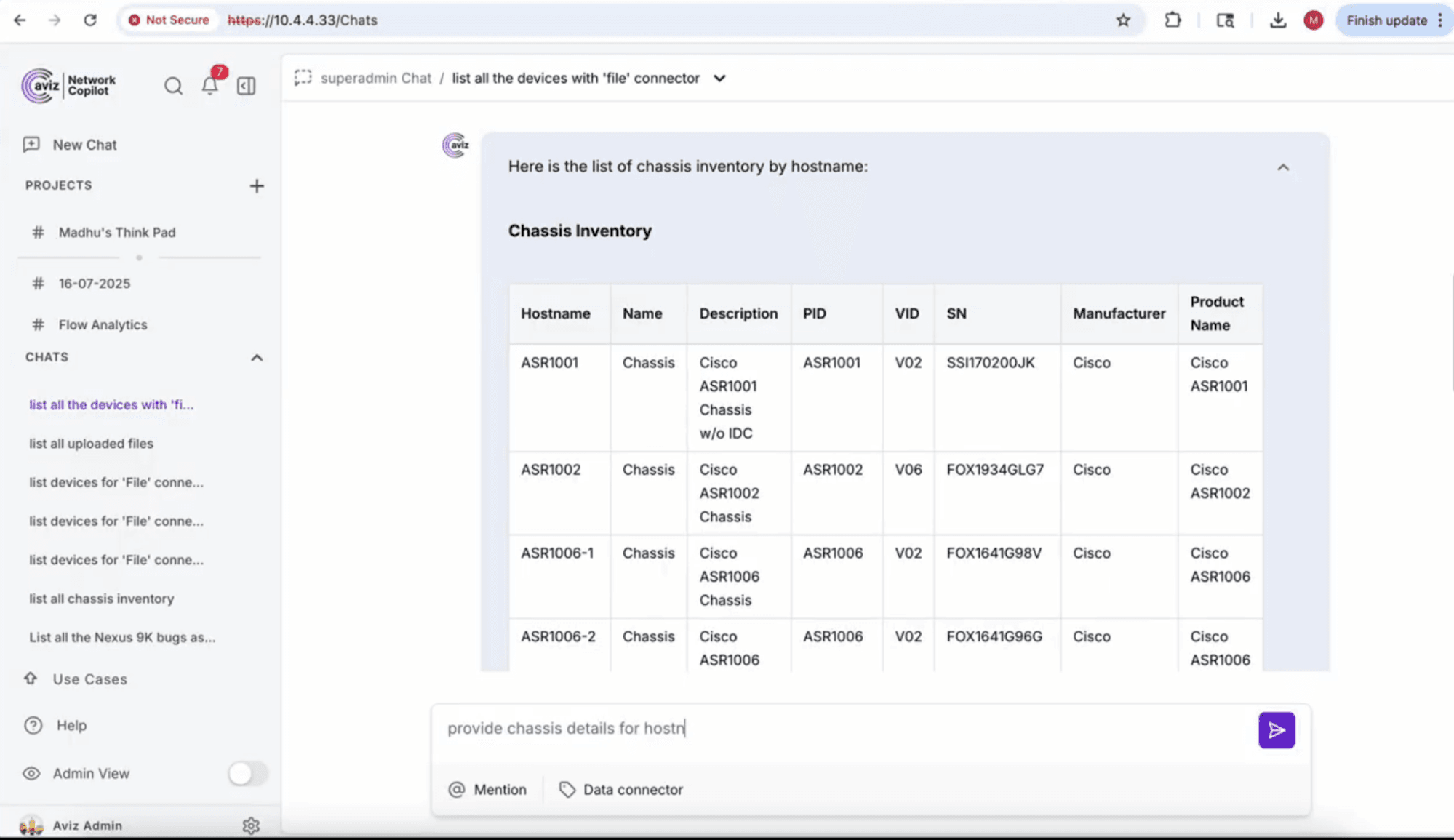
List chassis details by hostname ASR1001
The inventory stored in the structured database is queried through a specialized
agent.
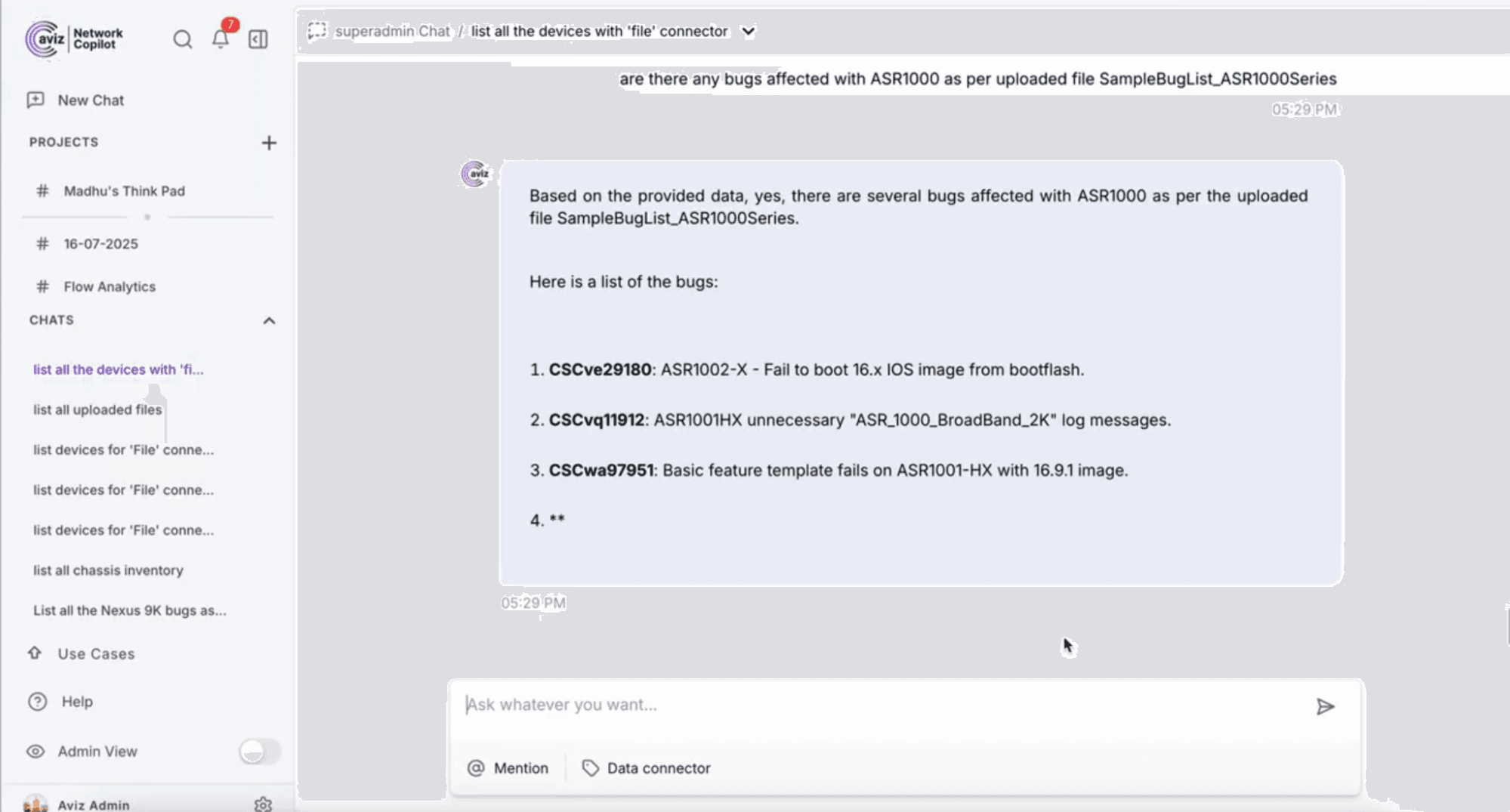
What known bugs affect IOS XE 15.1(3)S3
The assistant searches release notes and advisories to identify notable caveats and
vulnerabilities, including sample bug IDs such as CSCtl19967.
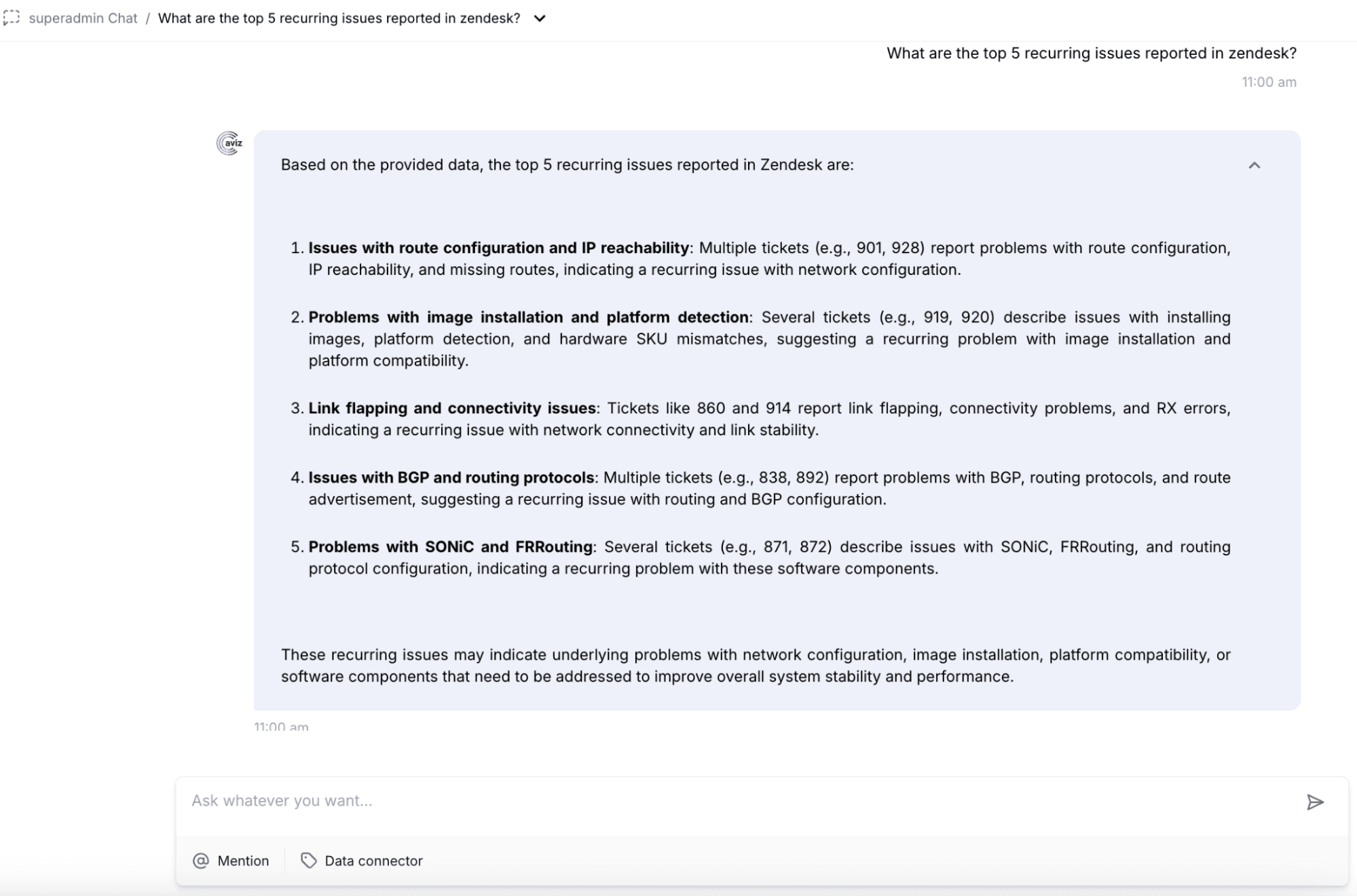
Root Cause Analysis
The AI can correlate multiple data points to accelerate diagnosis. For example, if an
interface is flapping, the assistant searches log entries for error messages, configuration changes, or known
hardware issues and presents possible causes.
Maintenance Workflows
The AI can answer broader questions such as:
- Devices running outdated firmware
- Modules with insufficient memory
- Hardware that is already past end of support
This augments the engineer by providing instant visibility across large device inventories.
Future Enhancements
Batch and Parallel Processing
As users upload large collections of log files, parallel ingestion will significantly reduce processing time by utilizing multiple CPU cores or distributed agents.
Extended Knowledge Bases and Multivendor Support
The platform will expand its knowledge sources to include additional Cisco device families, Juniper devices, Arista platforms, and other vendors, along with configuration guides and best practice documents.
Predictive Analytics and Deeper RCA
Integrating time series data will enable trend based anomaly detection such as memory leaks, increasing error counters, or firmware issues. The assistant can alert engineers when patterns resemble known bug signatures or hardware problems.
Conclusion
AI driven processing of offline CLI outputs transforms the traditional support workflow. It converts static logs into structured inventory, integrates lifecycle and bug knowledge, and enables natural language troubleshooting. This significantly reduces manual effort and accelerates root cause analysis. With continued enhancements in knowledge integration, performance, and predictive analytics, this approach becomes a powerful tool for every network engineer.
Frequently Asked Questions
What types of Cisco CLI outputs can be parsed by an AI-driven workflow?
The workflow supports outputs from commands such as show version, show platform, and show inventory across device families including ASR1001, NCS platforms, ASR9K, and Nexus switches. It extracts software versions, hardware modules, serial numbers, firmware levels, uptime, and configuration registers.
Why is manual parsing of Cisco CLI outputs a problem?
Manually interpreting long CLI text dumps is time consuming and prone to mistakes, especially when engineers need to process outputs from multiple devices during diagnostics or inventory audits.
How does the AI convert raw CLI text into structured data?
Uploaded log files are broken into chunks and converted into vector embeddings, enabling semantic search across logs and knowledge sources. The extracted data is organized into structured fields such as device model, OS version, serial numbers, module inventory, and firmware versions.
Can the AI correlate parsed data with lifecycle and bug information?
Yes, once inventory is extracted, the AI integrates lifecycle bulletins, bug advisories, and PSIRT documents to automatically highlight risks such as end-of-support status or known vulnerabilities affecting a specific OS version.
What kinds of questions can an engineer ask the AI assistant?
Engineers can ask questions like what the current firmware version is, whether a device is end of life, what known bugs affect a specific IOS XE version, or which devices across an inventory are running outdated firmware.
How does the AI assist with root cause analysis?
The assistant correlates multiple data points from log entries, configuration details, and known hardware issues to present possible causes for problems such as interface flapping, reducing the time needed for diagnosis.
Does this workflow support devices beyond the ASR1001?
Yes, the extraction logic generalizes across Cisco device families including NX-OS and IOS XR platforms, with plans to expand support to Juniper, Arista, and other vendors in future enhancements.
What future capabilities are planned for this AI-driven workflow?
Planned enhancements include batch and parallel log processing, expanded multivendor knowledge bases, and predictive analytics that can detect trends such as memory leaks or increasing error counters based on time series data.
Ready to turn offline logs into intelligent, automated troubleshooting workflows?
Reach out to the team to explore how Network Copilot can accelerate diagnostics, simplify support,
and transform your operational efficiency.
Contact us


